
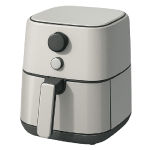
An air fryer not heating up is one of the most frustrating kitchen appliance failures — the unit powers on, the display works, but the food stays cold. In 2026, most cases come down to four components. This guide ranks them from most to least likely so you can diagnose and fix the problem without unnecessary disassembly.
4 Common Causes for Air Fryer Not Heating Up
1Blown Thermal Fuse
The thermal fuse is a one-time safety device wired in series with the heating circuit. When the air fryer overheats — due to blocked vents, a malfunctioning thermostat, or extended use — the fuse element melts and permanently breaks the heating circuit to prevent a fire. Unlike a resettable thermostat, a blown thermal fuse cannot be reset; it must be physically replaced. This is the single most common reason an air fryer runs but produces no heat.
Symptoms
- The air fryer powers on, the display works, and the fan runs — but no heat is produced at any temperature setting.
- The unit completes a cook cycle with no warmth detectable inside the basket.
Care Plan
- Confirm the outlet is working first. Plug a known-good device (such as a phone charger or lamp) into the same wall outlet to verify it has power. Check whether the outlet has a GFCI reset button — press it if so. Only proceed to internal diagnosis if the outlet is confirmed functional.
- Unplug the air fryer and allow it to cool for at least 30 minutes. Move it to a dry work surface away from the sink.
- Remove the outer casing. Use a Phillips or Torx screwdriver to remove the screws on the base and rear panel. Be aware of sharp stamped metal edges as you lift panels — wear work gloves. The thermal fuse is typically a small cylindrical component mounted on or near the heating element, wrapped in a ceramic or resin housing and connected by two wires.
- Test the thermal fuse with a multimeter set to continuity mode. Disconnect the two wires from the fuse terminals. Place one multimeter probe on each terminal of the fuse simultaneously. A functional fuse will produce a beep or show near-zero resistance. No beep and an “OL” (open loop) reading confirms the fuse has blown.
- Read the temperature rating printed directly on the fuse body — common ratings for consumer air fryers include 192°C, 216°C, and 228°C. You must purchase a replacement fuse that matches the exact rating printed on the original fuse. Do not select from a general list or approximate — installing a fuse with a lower rating will cause it to blow prematurely during normal operation, and a higher rating will reduce the safety protection the fuse provides. Order the replacement by the printed rating (available from appliance parts suppliers or online marketplaces for $5–$15). Reconnect the new fuse, reassemble the casing, and test.
- If the new fuse blows again within a few uses, the underlying cause — typically a blocked vent, a failing thermostat, or a short circuit — has not been resolved. Stop using the unit and consult a qualified appliance technician.
Common Mistakes
- Purchasing a fuse by approximate rating rather than exact match. The rating printed on the original fuse is the only specification that should be used. A 192°C fuse and a 216°C fuse are not interchangeable.
- Replacing the fuse without investigating why it blew. A thermal fuse blows for a reason. Check that all vents are clear of debris and that the unit was not run for extended periods without a break before assuming the replacement will hold.
2Failed Heating Element
The heating element is the resistive coil or loop that converts electrical energy into heat. Over time — particularly with heavy use, grease buildup, or power surges — the element can develop a break in its resistive wire, permanently stopping heat production. Unlike a thermal fuse, a failed element is not a safety trip; it is a mechanical or electrical failure of the component itself.
Symptoms
- The air fryer runs a full cycle, the fan circulates air, and the timer counts down — but the interior of the basket never gets warm, and the unit never approaches the set temperature.
- The display shows the target temperature as the set point throughout the cycle, but the appliance itself remains at or near room temperature — the unit never actually heats up.
Care Plan
- Confirm the outlet is working. As with all causes in this guide, plug a known-good device into the same outlet before opening the unit. If the outlet is on a GFCI circuit, press the reset button on the outlet.
- Unplug the unit and allow it to cool fully for at least 30 minutes. Move to a dry surface and wear work gloves for disassembly.
- Remove the casing to access the heating element. The element is typically located above the cooking basket in basket-style units or inside the cooking chamber in oven-style units. Disconnect the two wires leading to the element — note their positions or photograph them before disconnecting.
- Test the element with a multimeter set to resistance (Ohms) mode. Place one probe on each terminal of the element. A functional heating element will show a resistance reading — typically around 10–60 Ohms depending on the wattage and voltage of your specific unit. A 1500W unit running on 120V will measure approximately 9–10 Ohms; a 1500W unit on 230V will measure closer to 35 Ohms. If the meter reads “OL” (open loop / infinite resistance), the element has an internal break and must be replaced. If you are uncertain whether your reading is within the expected range for your unit’s wattage, compare it against the specifications in your model’s service manual or contact the manufacturer.
- Order a replacement element by your exact model number from the manufacturer or a reputable appliance parts supplier. Elements for branded units (such as Ninja or Cosori) can range from $15 to $50 depending on the model. Install the replacement by connecting the wires to the correct terminals, reassemble the casing, and test. If you are not comfortable working around high-wattage internal wiring, stop here and contact a qualified appliance technician.
Common Mistakes
- Using a resistance range as a pass/fail threshold without accounting for wattage and voltage. A reading of 10 Ohms on a high-wattage North American unit is normal — condemning the element based on a generic “low resistance” assumption wastes money.
- Reversing or incorrectly reconnecting the element wires. Photograph the wire connections before disconnecting anything. Incorrect reconnection can prevent the element from functioning or create a safety hazard.
3Faulty Door or Drawer Switch
Air fryers are designed with a safety interlock switch — typically a small micro-switch — that prevents the heating element from activating unless the basket drawer or door is fully and correctly closed. If this switch fails mechanically, becomes misaligned, or develops an internal fault, the unit will power on and the display will function normally, but the heating circuit will not activate because the control board receives a signal that the unit is “open.” This is a very common and frequently overlooked cause.
Symptoms
- The air fryer powers on and displays normally but produces no heat, even with the basket fully inserted.
- Pressing the basket firmly inward while the unit is running briefly causes the fan to respond or a relay to click, suggesting the switch is on the borderline of engagement.
Care Plan
- Confirm the outlet is working by plugging a known-good device into the same outlet before proceeding.
- Inspect the drawer latch and switch actuator visually first. With the unit unplugged, insert and remove the basket several times while watching the small plastic or metal tab near the drawer opening that physically presses the micro-switch. Check whether this tab is broken, bent out of position, or obstructed by debris. If a metal latch is visibly misaligned, it may be possible to carefully bend it back to its original position using needle-nose pliers — apply gentle, controlled pressure. This applies only to metal latches. If the latch is plastic and visibly cracked or broken, it must be replaced rather than bent.
- Clean around the switch actuator. Grease and crumbs can prevent the switch from fully depressing. Use a dry brush or compressed air to clear the area around the switch contact point.
- Test the micro-switch with a multimeter in continuity mode. Unplug the unit, open the casing to access the switch (typically mounted near the drawer opening, connected by two or three wires), and disconnect the wires from the switch terminals. With the switch button not pressed, the meter should show open (no continuity). Press the switch button manually — the meter should beep or show continuity. If the switch shows no continuity when pressed, or shows continuity at all times regardless of button position, the switch has failed and must be replaced.
- Replace the micro-switch. Source a replacement by the switch part number printed on its body, or by your air fryer’s model number. Most micro-switches in this application are clip-in or screw-mount types costing $8–$25. If the switch is soldered to a PCB rather than using push-on connectors, desoldering is required — this involves a soldering iron, solder wick or a desoldering pump, and basic soldering skill. Readers who are not familiar with PCB soldering should not attempt this step, as lifting a solder pad will destroy the board. In that case, consult a technician or consider replacing the full control assembly.
Common Mistakes
- Attempting to bend a plastic drawer latch instead of replacing it. Plastic latches crack under bending force. Only metal latches can be carefully realigned; plastic components must be replaced.
- Overlooking grease or food debris around the switch contact point. In that case, consult a technician or consider replacing the full control assembly.
- Final Reassembly and Test: Ensure the switch is securely mounted and the actuator tab hits the button squarely when the drawer is closed. Reassemble the unit and run a 2-minute test at 400°F.
Common Mistakes
- Overlooking grease or food debris around the switch contact point. A single dried crumb can prevent the switch from depressing that final millimeter needed to close the circuit. Always clean before replacing.
- Assuming a “click” means the switch is good. Micro-switches can fail internally even if they still make a physical clicking sound. Always verify with a multimeter.
4Control Board Failure
Control Board Failure
The control board (PCB) is the “brain” of the air fryer. It processes your input, monitors the temperature sensor, and uses a relay—an electrical switch—to send power to the heating element. If the logic chip glitches or the solder joints on the relay crack due to heat stress, the board will fail to “fire” the element, even if every other part is functional.
Symptoms
- The display shows nonsensical characters, flickers, or becomes completely unresponsive to touch.
- You hear the fan run, but you never hear the distinct “click” of the relay engaging the heater.
- The unit worked intermittently (heating sometimes, but not others) before failing completely.
Care Plan
- Perform a Hard Reset: Unplug the unit for at least 10 full minutes. This allows the capacitors on the board to drain and the processor to reset. If the unit still won’t heat upon restart, move to inspection.
- Access the Board: With the unit unplugged, remove the top or front panel. Locate the main green or brown circuit board.
- Visual Inspection: Look for “blown” capacitors (cylinders with bulging tops), scorched or black traces on the board, or “cold” solder joints (dull, gray, cracked rings around pin connections).
- Replace the Board: Control boards are model-specific. Order an OEM-spec replacement ($30–$80). Photograph the wiring harness first—there are often many identical-looking wires. Unplug the connectors, swap the board, and reconnect exactly as photographed.
- Professional Service: If the board is unavailable or requires soldering that you aren’t comfortable with, a professional repair typically costs $100–$200. For budget air fryers, this usually exceeds the cost of a new unit.
Common Mistakes
- Replacing the board when the fuse was the problem. Always test the thermal fuse (Cause 1) first. A $5 fuse failure is far more common than a $50 board failure.
- Static Discharge: Touching the board without grounding yourself can kill the processor with static electricity. Always touch a metal surface to “discharge” before handling the PCB.




