
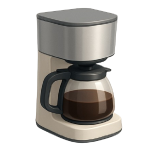
A coffee maker not brewing is one of the most frustrating kitchen appliance failures — especially before your first cup of the day. While some fixes take under an hour with no tools at all, others require basic electrical testing. In 2026, this guide ranks the four most common causes from most to least likely so you can diagnose and resolve the problem as efficiently as possible.
4 Common Causes for a Coffee Maker Not Brewing
1Mineral Scale Buildup
Over time, dissolved calcium and magnesium minerals in tap water deposit inside the heating chamber, water lines, and spray head of your coffee maker. These deposits — commonly called limescale — progressively narrow the water path until flow slows to a trickle or stops entirely. Hard water accelerates this process dramatically, and machines used daily without regular cleaning are especially vulnerable.
Symptoms
- The machine powers on and heats up but produces little or no liquid in the carafe
- The machine takes significantly longer than normal to complete a cycle, or stops before the brew is finished
- You hear gurgling or sputtering from the brew head during operation
- The carafe output has noticeably decreased over several weeks of normal use
Care Plan
- Empty the water reservoir completely and remove any used coffee grounds or filter from the basket.
- Fill the reservoir with a descaling solution. A 50/50 mixture of white distilled vinegar and water is a safe general starting point — however, check your machine’s manual for the manufacturer’s recommended dilution ratio, as it varies by brand. Some brands specify a 1:3 vinegar-to-water ratio while others recommend an undiluted run with their proprietary descaling product.
- Keep your hands and face away from the brew head and any steam vents while the cycle is running — the solution and steam exiting the machine will be hot. Place an empty carafe under the brew head and start a normal brew cycle. Allow it to run halfway, then pause the machine and let it sit for 30 minutes so the solution can soak and dissolve deposits inside the heating chamber.
- Resume and complete the brew cycle. Discard the solution from the carafe, refill the reservoir with fresh water, and run at least two full brew cycles of plain water to flush all vinegar or descaler residue from the system.
- Attempt a normal brew cycle. If output volume and brew time return to normal, the repair is complete. If the machine still produces little or no liquid after two full descaling runs, proceed to Cause 2 to check for a physical blockage.
Common Mistakes
- Using undiluted vinegar without checking whether your machine’s manufacturer recommends a diluted ratio — this can leave a strong residual taste and may be harsher on internal seals than necessary.
- Skipping the plain-water flush cycles after descaling, which leaves a vinegar or chemical taste in subsequent brews and can irritate the throat if consumed.
2Physical Clog in Brew Needle or Water Hose
Unlike mineral scale, which deposits gradually throughout the water path, a physical clog is a discrete blockage — typically packed coffee grounds, a fragment of a paper filter, or debris — lodged in the brew needle (the puncture needle on pod-style machines), the spray head, or the rubber hose connecting the reservoir to the heating chamber. This type of blockage is common on single-serve pod machines and on drip machines that have been used with finely ground coffee. Unplug the machine before inspecting any internal components.
Symptoms
- The machine powers on and heats but produces no liquid at all, or only a few drops
- On pod machines, the top and bottom needles are visibly dirty or partially blocked when you open the pod holder
- You can hear the pump or heating element working but water is not moving through the system
- The issue appeared suddenly after a brew cycle rather than developing gradually over weeks
Care Plan
- Unplug the machine from the wall outlet. On pod-style machines, open the pod holder and visually inspect the top and bottom brew needles for packed grounds or debris.
- Straighten a paper clip and gently insert it into the brew needle opening to dislodge any packed grounds or debris — move the paper clip in a gentle circular motion rather than forcing it straight through. Rinse the needle area under running water.
- On drip machines, remove the spray head (usually a twist-off or snap-off disc above the filter basket) and rinse it under warm running water, using a small brush or toothpick to clear the spray holes.
- Access the rubber hose connecting the reservoir to the heating chamber if your model allows it without full disassembly. Inspect it visually and by touch — a healthy hose feels uniformly flexible and round along its full length. A kinked hose will have a sharp bend or crease that restricts it, and a collapsed hose will feel flat or will not spring back to its original round shape when released. Reseat any hose that has simply come loose from its fitting.
- Reassemble all components, plug the machine back in, and run a plain-water brew cycle to confirm flow has been restored. If a physical blockage still persists after clearing the needle, spray head, and hose, proceed to Cause 3 to evaluate the heating element.
Common Mistakes
- Using a sharp metal object with too much force in the brew needle, which can widen or permanently deform the needle opening and affect pod puncture on future brews.
- Reassembling the spray head or pod holder without fully rinsing it, which reintroduces the same debris that caused the blockage.
3Failed Heating Element
The heating element is a resistive coil or tube that heats water as it travels from the reservoir toward the brew head. When it fails — typically due to age, a power surge, or running the machine dry — it either develops an open circuit (no current passes at all) or a short circuit (current bypasses the element entirely). In either case, water reaches the brew head at room temperature or not at all, and no brewing occurs. Always unplug the machine before opening the housing.
Symptoms
- The machine powers on — indicator lights activate — but the water coming out is cold or lukewarm and no steam is produced
- The machine makes no sound at all during a brew attempt despite appearing to power on
- A burning or electrical smell was present during or just before the failure
- The machine’s thermal fuse (a small safety device wired in series with the element) has visibly failed or tested open on a previous inspection
Care Plan
- Unplug the machine from the wall outlet. Remove the outer housing screws (typically Phillips-head) and carefully lift or slide off the casing to expose the internal components.
- Locate the heating element — it is typically a curved aluminum or stainless tube with two electrical terminals at one end, running along the base of the machine beneath the water reservoir.
- Inspect the element and its wiring visually for scorch marks, cracked insulation, or melted connectors before electrical testing.
- With the machine still unplugged, set a multimeter to the resistance (ohm) setting and touch the probes to the element’s two terminals. The exact expected resistance varies by model and wattage — what matters is that the reading is a finite, stable number. A reading of “0” indicates a short circuit; a reading of “OL” (meaning the circuit is open — no continuity detected) confirms the element has failed. Consult your model’s service documentation for the expected resistance value if available, as a high-wattage element (1200W–1500W) may read under 10 ohms while a lower-wattage element may read 50 ohms or more — both can be normal for their respective specifications.
- If the element tests as failed, order the correct OEM or compatible replacement part for your specific model. Note that prices vary by brand and model — verify part availability and cost before committing to this repair, as some elements are only available through the manufacturer. Disconnect the wiring connectors to the old element, remove any mounting hardware, and install the new element in reverse order. Fully reassemble and secure the housing before plugging the machine back in — never power on the unit with the outer casing open or removed. If the machine still does not brew after element replacement, proceed to Cause 4.
Common Mistakes
- Concluding an element has failed based solely on a resistance reading without confirming the reading is “0” or “OL” — a low but finite reading on a high-wattage element is normal, not a failure.
- Skipping the thermal fuse when replacing the heating element. The thermal fuse sits in series with the element on most machines; if it has blown, replacing the element alone will not restore function. Test and replace the fuse at the same time if it shows no continuity.
4Faulty Brew Switch or Control Board
The brew switch (the physical button that initiates a brew cycle) and the control board (the circuit board that manages the machine’s functions) are the final link in the chain between your intent and the machine’s action. A brew switch can fail mechanically — the internal contact wears out and no longer closes the circuit when pressed — or the control board can fail due to a power surge, moisture intrusion, or age-related component degradation. Always unplug the machine before opening the housing or touching any internal terminals.
Symptoms
- Pressing the brew button produces no response at all — no lights change, no sounds occur, and no heating begins
- The brew button feels physically different from normal — mushy, stuck, or with no tactile click
- The machine behaves erratically: starting and stopping on its own, failing to complete cycles, or only working when the button is held at a specific angle
- All other causes (scale, physical clog, heating element) have been ruled out
Care Plan
- Unplug the machine. Remove the outer housing to access the brew switch and control board, following the same disassembly process described in Cause 3.
- Locate the brew switch and inspect it visually. Check whether the button mechanism is intact and whether the wiring connectors to the switch are firmly seated.
- With the machine still unplugged, set a multimeter to continuity mode and touch the probes to the brew switch’s terminals while pressing the button. You should hear a beep or see a continuity reading when the switch is depressed — this applies to a normally-open switch, which is the most common configuration. If your switch shows continuity at rest and loses it when pressed, that is also normal behavior for a normally-closed switch — check your model’s wiring diagram if you are unsure of the switch type. If the switch shows no change in continuity when pressed, the switch itself is faulty and must be replaced.
- Inspect the Control Board. If the brew switch tests fine, look at the main control board. Search for “blown” capacitors (which will have bulging tops), scorched traces on the green board, or a faint smell of ozone. If the board is physically damaged, the entire assembly typically needs to be replaced.
- Replace and Reassemble. For plug-and-play switches, simply swap the part ($10–$30). For control boards, photograph the wiring harness first so you don’t cross any connections during the swap ($30–$80). Important: Ensure all internal wiring is tucked away from the heating element before closing the housing to prevent a fire hazard.
- Test the Unit. Reassemble the outer casing completely. Plug the machine back into a GFCI-protected outlet and run a water-only test cycle.
Common Mistakes
- Replacing the board without checking the switch. A $5 switch is often the culprit, but many people spend $50 on a control board first. Always test the simplest mechanical point of failure before moving to the electronics.
- Operating with the shell off. Coffee makers use a combination of high voltage and boiling water. Never “test” the machine while the internal wiring is exposed, as a single leak could cause a lethal short circuit.
- Assuming a “Dead” machine is garbage. Often, a “dead” machine has simply tripped a $2 thermal fuse located near the boiler. Check for continuity on the small silver cylinder clipped to the heating element before giving up on the machine.




