
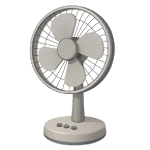
A Fan Making Noise is rarely a sign of a dead motor, but it can be incredibly disruptive to your sleep or work. In 2026, most household fans are designed with lightweight plastics that can easily vibrate out of alignment. This guide ranks the 5 most common fixes for rattles, clicks, and hums to help you restore a quiet breeze.
5 Common Causes for Fan Noise
1Loose or Dirty Blade Guards
The most frequent cause of a rattling fan is the protective cage. Over time, the clips holding the front and rear guards together can loosen, or the nut holding the rear guard to the motor can vibrate slightly ajar, causing a persistent chatter.
Symptoms
- A constant, light rattling or vibrating sound.
- The noise stops or changes when you press your hand against the guard.
Care Plan
- Unplug the fan and remove the front guard.
- Ensure the rear guard mounting nut (located behind the blades) is tightened firmly.
- Clean all dust from the guard wires; heavy dust can cause the guards to vibrate more intensely.
- Reattach the front guard and ensure all plastic clips or metal tension rings are fully seated.
- If the clips are loose, a small piece of foam tape between the two guards can dampen the vibration.
Common Mistakes
- Over-tightening plastic nuts, which can cause the threads to strip or the plastic to crack.
- Ignoring the rear mounting nut, which is the most common source of “mystery” rattles.
2Unbalanced or Warped Blades
If a fan blade is warped or has a thick layer of dust on only one side, it becomes unbalanced. This creates a centrifugal wobble that shakes the entire assembly, leading to a deep thumping or vibrating noise.
Symptoms
- The fan “walks” across the floor or vibrates the table it is sitting on.
- The noise increases significantly at higher speeds.
Care Plan
- Unplug the fan and remove the front guard.
- Thoroughly clean both sides of all blades with a wrung-out damp cloth.
- Inspect each blade for warping. Only attempt to gently flex slightly warped blades back into alignment; if you feel significant resistance, the blade may snap and should be replaced.
- Note: A cracked or heavily unbalanced blade can cause progressive vibration damage to the motor shaft and bearings over time.
- For minor imbalances, use a purpose-made blade balancing kit (common for ceiling fans). Improvised weights like tape are unreliable and may fly off.
Common Mistakes
- Attempting to bend old, brittle plastic blades, which can lead to micro-cracks or immediate snapping.
- Operating a fan with a visibly cracked blade.
3Dry or Worn Motor Bearings
Motor bearings require a thin film of oil to spin silently. When this lubricant dries out or becomes contaminated with dust, the metal-on-metal friction produces a high-pitched squeal or a persistent grinding noise.
Symptoms
- A high-pitched “chirping” or grinding sound.
- The blades take a long time to start spinning or stop very quickly when the power is turned off.
Care Plan
- Unplug the fan and remove the motor housing cover.
- Locate the motor shaft where it enters the front and rear bearings.
- Apply 2 drops of non-detergent SAE 20 oil (or sewing machine oil) to each bearing point.
- Spin the shaft manually to work the oil into the bearings.
- Wipe away any excess oil to prevent it from attracting more dust.
Common Mistakes
- Using WD-40, which is not a long-term lubricant and will dry out, causing the noise to return within days.
- Getting oil on the internal electrical windings of the motor.
4Worn Oscillation Gears
For oscillating fans, a rhythmic clicking or popping sound usually indicates an issue with the oscillation gearbox. Plastic gears can strip or the clutch mechanism can get stuck between positions.
Symptoms
- A “click-click-click” sound that only happens when the fan is moving side-to-side.
- The fan “stutters” or jerks at the end of its oscillation path.
Care Plan
- Unplug the fan and remove the rear motor housing.
- Locate the oscillation gearbox (the small box at the back of the motor).
- Inspect the plastic gears for missing teeth or trapped debris.
- Apply white lithium grease sparingly to the gears; excess grease attracts dust and accelerates wear.
- If the gears are stripped, you can often stop the noise by pulling the oscillation knob to the “locked” position or disconnecting the pivot arm from the motor.
Common Mistakes
- Forcing the fan to oscillate by hand, which is the primary cause of stripped gears.
- Using liquid oils on gears; gears require a thicker grease to stay lubricated.
5Loose Internal Motor Mounts
The motor is held in place by mounts and screws. If these loosen, the motor will vibrate against its own casing, creating a deep, resonant buzzing or humming sound.
Symptoms
- A deep, low-frequency hum that sounds like it’s coming from inside the motor.
- The noise is present even when the blades are removed.
Care Plan
- Unplug the fan and fully remove the motor housing.
- Locate the screws that hold the motor assembly together and the screws mounting the motor to the stand.
- Tighten all internal screws firmly.
- Inspect any dampening materials for rot. If internal mounts are vibrating, apply small strips of vibration-dampening foam tape as a universally accessible alternative to specialized grommets.
- Reassemble the housing, ensuring no internal wires are pinched against the plastic.
Common Mistakes
- Mistaking a loose mount for a “bad motor” and discarding the fan.
- Using mismatched hardware-store grommets that may have the wrong hardness rating, potentially worsening the vibration.




