
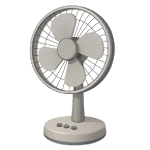
It is a common frustration: your Fan is Not Blowing Air even though you can see the blades spinning. In 2026, many lightweight fans rely on precise blade angles and high RPMs to move air. This guide ranks the most likely causes for poor airflow and how to fix them.
4 Common Causes for Fan Not Blowing Air
1Dust Accumulation on Blades and Grills
The leading cause of poor airflow is dust buildup. Most fan blades act as angled paddles; when dust collects on the leading edge, it adds uneven weight and reduces the effective pitch (angle) of the blade. Instead of grabbing the air, the blade simply “slaps” it, creating turbulence without a directed breeze.
Symptoms
- The fan is spinning at a seemingly normal speed.
- There is a loud “whooshing” sound but very little air movement.
- Visible grey or black fuzz on the blade edges.
Care Plan
- Unplug the fan and remove the front grill.
- Use a wrung-out damp cloth to wipe both the front and back of every blade. Caution: Keep moisture away from the motor vents.
- Clean the front and rear guards thoroughly; clogged guards act as a physical barrier to airflow.
- Dry the blades completely before reassembling.
- Plug the fan back in and test the airflow.
Common Mistakes
- Cleaning only the front of the blades; the leading edge and back are equally important for moving air.
- Using a vacuum alone, which often leaves the sticky “grime” layer that alters the blade profile.
2Improper Blade Orientation
If you recently took your fan apart for cleaning, the blade assembly may have been reinstalled facing the wrong direction. While the motor still spins the same way, the reversed curve of the blades will move air toward the back or simply churn it in place.
Symptoms
- The fan feels like it is blowing air out of the back.
- The blades look “flatter” or angled differently than before.
Care Plan
- Unplug the fan and remove the front guard.
- Inspect the center hub of the blade assembly; look for a “This Side Out” marking or a notch that aligns with the motor shaft pin.
- Remove the blade nut. Note: Try both directions carefully; many fan nuts are left-hand threaded, meaning they tighten counterclockwise and loosen clockwise.
- Flip the entire blade assembly so the curved “scoop” faces the front.
- Re-tighten the nut and test the airflow direction.
Common Mistakes
- Forcing the blade assembly onto the shaft without aligning the D-shaped notch.
- Reversing individual blades on models where they are detachable (rare), rather than flipping the whole hub.
3Restricted Intake (Rear Guard Clog)
Fans cannot blow air out the front if they cannot pull air in through the back. If a pedestal or desk fan is placed too close to a wall, or if the rear intake is matted with pet hair, the fan will “starve” for air.
Symptoms
- The fan motor sounds strained or higher-pitched.
- Airflow increases significantly if you move the fan away from the wall.
Care Plan
- For pedestal and desk fans, move the unit at least 12–18 inches away from walls or curtains. (Note: Box fans are exceptions and are often designed for closer placement).
- Ensure no curtains or papers are being sucked against the rear guard.
- Unplug the fan and vacuum the rear intake grill to remove matted dust or pet hair.
- If the fan is in a window, ensure the window screen is not clogged with outdoor debris.
Common Mistakes
- Placing a fan in a tight corner where intake is restricted on three sides.
- Ignoring the rear guard during routine cleaning.
4Weakened Start/Run Capacitor
A motor that spins but lacks “torque” cannot move air effectively. If the run capacitor is weak, the motor may reach a visible speed but fail to maintain the RPMs required to push against air resistance. This is often mistaken for the fan “spinning fine” when it is actually under-performing.
Symptoms
- The fan takes a long time to reach full speed.
- The blades slow down significantly the moment they encounter a slight breeze or resistance.
Care Plan
- Unplug the fan and access the motor housing.
- Safety Warning: Capacitors store energy. To safely discharge, use a resistor (typically 10–20kΩ) across the terminals. If you do not have the proper tools, consult a pro.
- Locate the cylindrical capacitor.
- Note the capacitance (µF) AND the voltage (V) rating; both must match for a replacement.
- Replace with an identical capacitor, ensuring all connections are secure and insulated.
Common Mistakes
- Discharging the capacitor with a screwdriver, which can cause a damaging spark or internal failure.
- Matching the µF rating but using a capacitor with a lower voltage rating than required.




