
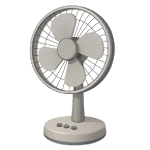
If your Fan is Not Spinning, it is usually due to a lack of seasonal maintenance rather than a total motor failure. In 2026, most household fans—whether pedestal, box, or desk—share a mechanical design that is highly susceptible to dust interference. This guide ranks the most common reasons your fan has stopped moving and how to safely restore the airflow.
4 Common Causes for Fan Not Spinning
1Dust Buildup and Seized Bearings
Over several seasons, dust and pet hair are pulled into the motor housing, mixing with factory grease on the motor shaft. This creates a thick sludge that eventually seizes the bearings, preventing the motor from overcoming the friction required to rotate the blades.
Symptoms
- The fan blades are difficult to turn by hand when the power is off.
- The motor makes a low humming sound but the blades remain stationary.
Care Plan
- Unplug the fan and remove the front and back blade guards.
- Remove the fan blade. Check the retaining nut carefully; many are reverse-threaded (left-hand thread), meaning they loosen in the opposite direction of a standard screw.
- Clean all visible dust from the motor shaft and vents using compressed air or a vacuum.
- Apply 2–3 drops of non-detergent SAE 20 oil to the shaft where it enters the housing at both the front and rear bearing points.
- Spin the shaft by hand for several minutes until it rotates freely, then reassemble.
Common Mistakes
- Using cooking oil or WD-40, which will eventually dry out and cause the motor to seize again.
- Stripping the plastic blade nut by forcing it in the wrong direction.
2Failed Start Capacitor
The start capacitor provides the electrical torque needed to get the motor spinning from a dead stop. If the capacitor fails, the motor will have power but won’t be able to initiate rotation.
Symptoms
- The blades spin freely by hand, but the fan won’t start on its own when turned on.
- If you safely give the blades a manual “flick” while the power is on, the fan begins to spin.
Care Plan
- Unplug the fan and remove the rear motor cover.
- Safety Warning: Capacitors store electricity. Discharge the capacitor by touching a rubber-insulated screwdriver across both terminals simultaneously before touching it with your hands.
- Locate the capacitor, which is usually a small black or silver cylindrical component.
- Note the capacitance rating (measured in µF) and voltage printed on the side.
- Replace with an identical µF-rated capacitor using insulated wire connectors or soldering.
Common Mistakes
- Replacing the capacitor with a significantly different µF rating, which can cause the motor to overheat.
- Skipping the discharge step and receiving a painful electrical shock.
3Blown Internal Thermal Fuse
Most modern fan motors contain a small thermal fuse tucked inside the windings. It is designed to break the circuit if the motor reaches a dangerous temperature (often due to the seized bearings described in Cause 1). Once this fuse blows, the fan will not turn on at all.
Symptoms
- The fan is completely silent and does not hum when switched on.
- The blades spin freely, but no speed settings respond.
Care Plan
- Unplug the fan and access the motor windings by removing the protective housing.
- Locate the thermal fuse, typically found under a bundle of wires with a high-temperature protective sleeve.
- Use a multimeter to test for continuity. If the reading is “open,” the fuse is blown.
- Match the temperature rating (e.g., 115°C or 130°C) printed on the original fuse exactly.
- Solder the new fuse in place, taking care not to apply heat for too long, as this can blow the new fuse during installation.
Common Mistakes
- Bypassing the fuse entirely, which removes the primary protection against a motor fire.
- Replacing the fuse without cleaning and lubricating the bearings, which causes the new fuse to blow immediately.
4Broken Internal Wiring or Switch
Repeated side-to-side oscillation can cause internal power wires to fray or snap. Additionally, the speed control switch can accumulate carbon buildup on the internal contacts, preventing electricity from reaching the motor.
Symptoms
- The fan works intermittently or only when the cord is held at a specific angle.
- Certain speed settings work while others are dead.
Care Plan
- Unplug the fan and inspect the power cord for visible kinks or breaks near the neck or base.
- Open the switch housing (typically located in the base or neck).
- Inspect for loose wires that have detached from their terminals or solder points.
- Apply electronic contact cleaner to the speed switch to remove oxidation and carbon.
- Important: Allow the cleaner to fully evaporate for at least 15 minutes before closing the housing and restoring power.
Common Mistakes
- Using standard household tape to repair a frayed power cord instead of replacing the cord.
- Closing the switch housing while it is still damp with cleaning solvent.




