
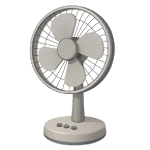
If your Fan is Not Turning On, it usually indicates a complete break in the electrical circuit. Unlike a slow fan, which often just needs oil, a dead fan requires a systematic check of the power path from the wall outlet to the motor windings. This 2026 guide covers the 4 most common reasons for a total power failure.
4 Common Causes for a Fan Not Turning On
1Blown Internal Thermal Fuse
Most modern fan motors contain a one-time thermal fuse buried in the copper windings. If the fan’s bearings seize and the motor overheats, this fuse “pops” to prevent a fire. Once it blows, the fan will never turn on again until the fuse is replaced.
Symptoms
- The fan is completely silent (no hum) on all settings.
- The blades spin freely by hand, but the motor shows no sign of life.
Care Plan
- Unplug the fan and remove the motor housing.
- Carefully trace the wire bundle leading into the motor windings. Look for the fuse at the most accessible end of the bundle rather than cutting into the windings.
- Locate the thermal fuse—a small, silver, cylindrical component.
- Test for continuity with a multimeter; if the circuit is “open,” the fuse is blown.
- Replace it with a new fuse matching the exact temperature rating (e.g., 115°C or 130°C) and voltage printed on the original.
- Note: You must also lubricate the bearings (see Cause 3), or the new fuse will blow immediately.
Common Mistakes
- Bypassing the fuse with a wire. This is a severe fire hazard.
- Overheating the new fuse while soldering; use a heat sink (like pliers) on the wire lead.
2Broken Power Cord or Plug
The power cord is subjected to constant stress. Over time, the copper wires inside the insulation can snap near the plug or where the cord enters the fan base.
Symptoms
- The fan flickers on and off when you wiggle the cord.
- There are visible kinks, melted spots, or frays on the cable.
Care Plan
- Unplug the fan and inspect the entire length of the cord.
- If the break is at the plug, install a replacement plug that matches the original plug configuration (2-prong or 3-prong grounded).
- If the break is where the cord enters the fan, you may need to open the base, cut the cord past the break, and re-connect it to the internal terminals.
- Note: Replacing or modifying the cord on a unit under warranty will likely void your coverage.
Common Mistakes
- Wrapping a frayed cord in electrical tape. This does not fix a broken internal wire and is not a permanent safety solution.
3Seized Motor Shaft
While a partially seized motor makes a fan run slow, a completely seized motor can prevent it from starting at all. If the motor is trying to pull current but can’t move, it may remain silent until the thermal fuse eventually blows.
Symptoms
- The blades are very difficult or impossible to turn by hand.
- You might hear a very faint, deep hum for a few seconds before the fan goes silent.
Care Plan
- Unplug the fan and remove the blade assembly.
- Clean the motor shaft and the front/rear bearing points with a dry cloth.
- Apply 2–3 drops of non-detergent SAE 20 oil to both the front and rear of the shaft where it enters the motor.
- Spin the shaft manually until it rotates smoothly and freely without grinding or catching.
- Wipe away any excess oil that could attract more dust.
Common Mistakes
- Using WD-40 or cooking oil; these will dry out and seize the motor even tighter over time.
4Faulty Power Switch or Timer
The speed selector switch or a mechanical timer can fail internally. Carbon buildup on the contacts or a snapped plastic component can prevent the switch from completing the circuit.
Symptoms
- The switch feels “loose” or doesn’t “click” into position.
- The fan only turns on if you hold the button halfway down.
Care Plan
- Unplug the fan and open the base or switch housing.
- Use electronic contact cleaner to spray the internal contacts of the switch.
- Toggle the switch 20 times to scrub the contacts, then allow 15 minutes for full evaporation.
- If the switch is physically broken, locate the model number on the fan’s label and search the manufacturer’s parts portal or a third-party parts supplier for a replacement.
Common Mistakes
- Using an oily lubricant inside a switch, which can attract dust and interfere with electrical contact.
- Reassembling and powering the fan while the contact cleaner is still wet.




