
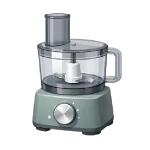
If you find your Food Processor Not Working, the most likely culprit is a safety mechanism rather than a mechanical failure. These machines are engineered with strict interlocks to prevent the high-speed blades from spinning while exposed. This guide ranks the most common causes to help you troubleshoot efficiently in 2026.
4 Common Causes for Food Processor Not Working
1Safety Interlock or Lid Alignment Issues
Food processors are designed with a series of physical tabs that must depress a safety switch before the motor is allowed to draw current. If the bowl is not rotated fully onto the base, or if the lid’s “locking arm” hasn’t clicked into the handle, the unit will remain completely unresponsive.
Symptoms
- No response at all—no lights, no fan hum, no motor sound—even though plugged in and interlocks appear engaged.
- The unit works intermittently if you press down hard on the lid.
Care Plan
- Remove the bowl and lid entirely to inspect the plastic locking tabs for any cracks or missing pieces.
- Re-seat the bowl on the base, rotating it firmly clockwise until you hear a distinct “click.”
- Place the lid on the bowl and rotate it until the locking tab aligns perfectly with the handle’s safety channel.
- On some 2026 models, the large food pusher must also be inserted into the feed tube to complete the circuit.
- Wipe away any dried food debris from the interlock grooves that might be preventing a flush connection.
Common Mistakes
- Assuming the motor is dead when a small piece of food is jammed in the safety switch slot.
- Forcing the lid to close when it is misaligned, which can snap the fragile plastic safety tabs.
2Motor Overheating (Thermal Protection)
Processing dense loads (heavy dough, large volumes of nuts, frozen foods) causes the motor to draw high current and generate excessive heat. Most modern processors include a thermal overload protector that cuts power to the motor to prevent permanent damage.
Symptoms
- The unit was working fine but suddenly stopped mid-cycle.
- The base feels hot to the touch or smells slightly of warm electronics.
Care Plan
- Immediately unplug the unit and remove the bowl to reduce the weight on the motor shaft.
- Allow the unit to cool completely for 30–60 minutes (or longer for severe overloads); the thermal protector is resettable but requires the motor to drop below its trip temperature (typically 120–150°C internally).
- Check the “Reset” button on the bottom of the base (common on professional-grade models). Many consumer models (e.g., Cuisinart DLC series, KitchenAid) do not have an external reset button; the thermal protector is fully automatic and resets only after sufficient cooling.
- Reduce the amount of food in the bowl before restarting; process in smaller batches.
- Ensure the ventilation slots on the bottom of the base are not blocked by a towel or countertop debris.
Common Mistakes
- Repeatedly trying to “pulse” a hot motor, which can eventually bypass the safety and burn out the windings.
- Using the food processor for longer than 3 minutes of continuous heavy labor without a break.
3Worn Drive Coupling or Gear Stripping
The drive coupling (or drive adapter/spindle) is usually a plastic/rubber/metal part that transfers torque from the motor shaft to the blade shaft in the bowl; it acts as a sacrificial link to protect the motor from jams. If the blade hits something too hard (like a frozen pit), the coupling will strip or snap to save the motor.
Symptoms
- You can hear the motor spinning/whirring, but the blades are not turning.
- In severe cases, the motor may run briefly then stop with a burning smell if debris from the stripped coupling enters the motor housing.
- There is a loud “slipping” or “chattering” noise when the machine is under load.
Care Plan
- Unplug the unit and remove the blade assembly.
- Inspect the underside of the blade and the top of the motor shaft for rounded-off plastic teeth.
- Inspect the bowl’s center drive shaft/spindle (the vertical post that the blade sits on) for cracks, wobbling, or stripped splines; also check the motor shaft coupler for wear.
- If the teeth are smoothed out, order a replacement drive coupling or spindle specific to your model.
- Clean any grease or food residue from the shaft to ensure the new part seats firmly.
Common Mistakes
- Attempting to “glue” a stripped coupling back together; the high torque of the motor will break the bond instantly.
- Continuing to run the motor while the gears are slipping, which creates plastic dust that can enter the motor.
4Electrical Failure (Fuse or Power Cord)
Less common than mechanical/safety issues, but power-related failures (cord damage, internal fuse, switch, or capacitor) do occur, especially after surges or spills. On electronic models, a failed control board can also cause buttons to become unresponsive.
Symptoms
- The unit won’t turn on in any outlet, even with the bowl perfectly locked.
- You notice a “burnt” smell coming from the power cord or the bottom of the base.
Care Plan
- Test the outlet with a lamp to ensure the kitchen’s GFCI breaker hasn’t tripped.
- Inspect the power cord for kinks, teeth marks from pets, or scorched areas near the plug.
- Very few consumer food processors have a user-replaceable fuse in 2026; most fuses are soldered internally or the unit uses a thermal fuse/resettable breaker. Check your service manual or model-specific parts diagram.
- For smart models, check for a “System Hang” by unplugging the unit for 10 minutes to drain the capacitors.
- If the cord is damaged, it must be replaced by a certified technician to maintain the unit’s waterproof rating. Most 2026 food processors have non-replaceable molded power cords for safety and UL certification; cord damage usually requires full base/motor assembly replacement.
Common Mistakes
- Pulling the unit by the cord, which causes the internal wires to fray near the base.
- Immersing the base in water to clean it, which causes a short-circuit on the control board.




