
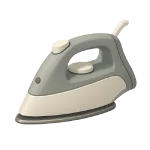
If you are dealing with a clothes iron that won’t heat or steam correctly, the problem is usually a result of water quality or electrical fatigue. Because these devices combine high heat with moisture, they are prone to internal corrosion. This guide ranks causes from most common to less common to help you fix an Iron Not Working in 2026.
4 Common Causes for Clothes Iron Not Working
1Mineral Buildup and Limescale Clogs
By far the most common failure in steam irons is the accumulation of calcium and magnesium deposits (limescale). These minerals precipitate out of the water and block the tiny steam ports in the soleplate or the internal valves that control the water pump. In hard water areas, limescale is the leading cause of reduced/no steam (35%+ of faults per recent surveys); it can also cause brown spitting or leaking if deposits mix with residue.
Symptoms
- The iron heats up but produces little to no steam.
- Chalky white flakes or brown water exit the steam vents onto your clothes.
Care Plan
- Fill the reservoir with a solution of 1 part white vinegar to 3–4 parts water (distilled preferred to avoid adding more minerals).
- Turn the iron to the highest steam setting and allow it to heat up.
- Hold the iron over a sink and use the “Steam Burst” button repeatedly until the vents are clear.
- Use a toothpick or a cotton swab dipped in vinegar to clear the individual holes on the soleplate.
- Flush the system twice with plain distilled water to remove any vinegar smell.
Common Mistakes
- Using undiluted vinegar repeatedly or leaving it in too long, which can corrode aluminum parts, degrade seals/gaskets, or damage anti-calc coatings in modern irons.
- Thinking the iron is broken when it was simply set to a “Dry” setting.
2Damaged Power Cord or Plug
The power cord on an iron is subject to constant flexing and high temperatures. Over several years, the internal copper strands can break near the strain relief (where the cord enters the handle), leading to intermittent power or a total failure to turn on.
Symptoms
- Intermittent power: the iron heats only when the cord is bent/held in certain positions (common internal strand breakage near strain relief).
- The indicator light flickers during use.
Care Plan
- Unplug the iron and visually inspect the cord for kinks, melted spots, or exposed wires.
- If the cord feels “mushy” or looks swollen near the handle, the internal wires are likely frayed.
- For many 2026 models with detachable cords, simply replace the cord with an OEM equivalent.
- If the cord is hardwired, a technician must open the handle to trim the damaged section and re-solder the connections.
- Check your wall outlet with a different device to ensure the fuse hasn’t blown.
Common Mistakes
- Wrapping the cord tightly around a hot iron, which causes the insulation to crack and the wires to fatigue.
- Pulling the iron by the cord to reach the end of the ironing board.
3Blown Internal Thermal Fuse
The thermal fuse (thermal cutoff) is a non-resettable, one-time safety device that permanently opens the circuit if overheating occurs (often due to prior thermostat failure). Once this happens, the iron will never heat up again until the fuse is physically replaced.
Symptoms
- Completely no heat and often no indicator light (or light works but no heat if fuse is in heater circuit only); cord/outlet confirmed good.
- The iron stopped working suddenly during a long session of heavy pressing.
Care Plan
- Disassemble the rear housing of the iron to reach the internal wiring (only if out of warranty).
- Locate the thermal fuse, usually a small silver cylinder wrapped in a heat-resistant sleeve.
- Use a multimeter to test for continuity; if it reads “OL” (Over Limit), the fuse is blown.
- Replace the fuse with one of the exact same temperature rating (marked in Celsius on the fuse body).
- Ensure the new fuse is crimped, not soldered, as the heat of a soldering iron can blow the new fuse instantly. Thermal fuses are non-resettable safety devices (typically rated 216–240°C for irons); always match the exact temperature and current rating from the original (printed on the fuse body). Use high-temperature crimp connectors or wire nuts rated for the environment.
Common Mistakes
- Bypassing the thermal fuse (e.g., with wire or solder); this defeats the overheat protection and creates a serious fire/overheat hazard—never do this.
- Replacing the fuse without checking if the thermostat is also stuck in the “On” position.
4Faulty Thermostat or Control Board
The thermostat regulates the soleplate temperature. If the internal bimetallic strip or the electronic sensor (in 2026 smart models) fails, the iron may either fail to heat or heat uncontrollably until it trips the thermal fuse.
Symptoms
- The iron gets warm but not hot enough to produce steam.
- The iron overheats (too hot even on low settings) or underheats (warm but insufficient for pressing/steam); thermostat stuck closed/open or sensor fault.
Care Plan
- For analog/dial irons, gently rotate the temperature dial fully back and forth several times to potentially free stuck contacts or clear minor oxidation (limited effectiveness if bimetallic strip is warped).
- For smart/digital irons with auto-off or sensors, unplug for 10–30 minutes to reset electronics; some models have a specific reset sequence per manual.
- Inspect the control board for scorched components or loose solder joints.
- Use a multimeter to check the resistance of the heating element; a typical iron element should read between 10–20 ohms. Most steam irons have heating elements of 800–1800W at 120V/240V, corresponding to ~8–36 ohms cold resistance (lower for higher wattage); infinite (‘OL’) means open/burnt element, often requiring full replacement as it’s embedded in the soleplate.
- If the element is fine but the iron won’t heat, the thermostat or control module must be replaced.
Common Mistakes
- Assuming the “Auto-Off” feature is a broken thermostat; move the iron to see if it wakes up.
- Cleaning the soleplate with abrasive pads, which can interfere with even heat distribution.




