
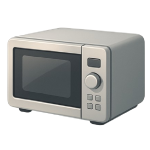
A microwave beeping continuously, chirping at random, or sounding an alarm that won’t clear is one of the most common appliance complaints in 2026. Some fixes take five minutes; others require component-level diagnosis. This guide ranks the four most likely causes from easiest to most complex so you can stop the noise efficiently and safely.
4 Common Causes for Microwave Beeping
1Stuck or Shorted Membrane Keypad
The membrane keypad is a thin, flexible circuit layer bonded to the control panel face. Heat, moisture, grease splatter, and years of use can cause the membrane to delaminate, trap debris under a key, or develop an internal short — any of which registers as a continuously pressed button and triggers non-stop beeping. This is the single most common cause of unexplained microwave beeping and the right place to start your diagnosis.
Symptoms
- Beeping begins without pressing any buttons, often in a steady or repetitive pattern
- One or more keys feel spongy, sunken, or fail to spring back after pressing
- The display shows a function or number as if a button is being held
Care Plan
- Unplug the microwave at the wall outlet and leave it unplugged for the entire repair. Even a simple keypad inspection should be done with the unit unplugged and powered off.
- Inspect the keypad surface visually and by touch. Press each key firmly and release — any key that doesn’t spring back cleanly or feels sticky is a likely culprit.
- Clean the keypad with a slightly damp microfiber cloth and a single drop of mild dish soap, wiping gently across the surface. Do not spray any liquid directly onto the panel, and do not allow moisture to enter the seams around the keypad perimeter.
- Allow the keypad surface to air-dry completely for at least 10–15 minutes before proceeding. Plugging in while residual moisture remains in the membrane seams can worsen an existing short or create a new one.
- Plug the microwave back in and observe. If beeping resumes in the same pattern, the membrane keypad assembly has an internal fault and requires replacement. Replacement keypads for most countertop models cost $10–$40 for aftermarket parts; professional installation runs $60–$120 depending on your region. If you are not comfortable removing the control panel fascia, escalate to a qualified appliance technician at this point.
Common Mistakes
- Plugging the microwave back in before the keypad is fully dry — residual moisture in the membrane seams can create or worsen an internal short.
- Purchasing a replacement keypad by appearance alone — confirm the part number against your model number, as visually similar keypads often have different connector pinouts.
2Faulty Door Interlock Switch
Microwave ovens use two or three interlock switches in series inside the door latch assembly to confirm the door is fully closed before allowing the magnetron to operate. When one of these switches fails — whether stuck open, stuck closed, or mechanically worn — the microwave’s control board receives a conflicting door signal and responds with repeated beeping, an error code, or a refusal to run. Door switch failures account for a large share of microwave service calls.
Symptoms
- Beeping occurs when opening or closing the door, or immediately after the door is shut
- The microwave displays a door-related error code (consult your owner’s manual for model-specific codes)
- The unit runs one moment and stops the next without completing the cook cycle
Care Plan
- Unplug the microwave at the wall outlet before doing anything else.
- Examine the door latch and the latch port on the microwave body. Look for visible cracks in the plastic latch hooks, food debris packed into the port, or a latch hook that no longer seats firmly.
- Ensure the microwave is still unplugged, then clear any debris from the latch cavity using a dry cotton swab. Do not probe with any object while the unit is plugged in — spring-loaded switch actuators inside the latch port could be depressed and momentarily complete an internal circuit.
- If the latch mechanism appears intact, the fault is likely in one of the interlock switches behind the panel. Accessing these switches requires partial or full disassembly of the microwave housing — the extent varies significantly by model. Some countertop models allow access by removing the inner door panel or the control panel fascia; others require removing the outer cabinet. Check a model-specific disassembly guide before proceeding, and stop immediately if you reach or are near internal high-voltage components. The capacitor must be fully discharged by a trained technician before any work continues at that depth.
- Once the switches are safely accessible, use a multimeter set to continuity mode to test each interlock switch individually — this is the standard method for identifying which specific switch has failed. A functioning normally-open switch will show continuity when its actuator is depressed; a failed switch will show no change or continuous continuity regardless of actuator position. Replace only the faulty switch. Whether purchasing an OEM part or a compatible replacement, confirm the voltage rating, amperage rating, and actuator style match the original switch exactly — using an underrated switch is a fire hazard. Interlock switches typically cost $10–$35 each. If you are not comfortable performing a continuity test or are unsure which switch to replace, have a technician complete this step.
Common Mistakes
- Assuming any similarly shaped switch is a safe replacement without verifying the electrical ratings — voltage, amperage, and actuator type must all match the original.
- Proceeding past the latch cavity inspection without confirming the capacitor has been properly discharged by a trained technician — the internal charge is lethal.
3Control Board Fault
The control board is the microwave’s central processing unit — it interprets keypad input, manages the cook cycle, and controls all outputs including the beeper. A failing control board can send erratic signals to the beeper circuit, resulting in chirping, continuous tones, or random alarm patterns that have no relationship to user input. Control board faults are less common than keypad or switch failures, but they become more likely after a power surge, a lightning strike near the home, or simply after many years of thermal cycling.
Symptoms
- Beeping is erratic — random chirps, unexpected alarm sequences, or a tone that sounds at odd intervals unrelated to the cook cycle
- The microwave behaves unpredictably: starting, stopping, or displaying errors without input
- The issue appeared after a power surge, a nearby lightning strike, or an extended power outage
Care Plan
- Unplug the microwave and leave it unplugged for 60 seconds to perform a hard reset. Many transient board faults resolve with a full power cycle.
- Plug the unit back in and observe the beeping behavior carefully. Note whether the beeping pattern is identical to before the reset or whether it has changed. If beeping returns in the same pattern immediately and consistently, a keypad or door switch fault is more likely — revisit Cause 1 and Cause 2 before concluding the board is at fault. If beeping is absent for a period and then returns erratically or unpredictably, a control board fault is the more likely diagnosis.
- Check whether the outlet itself was affected by the surge event. Consider plugging the microwave into a quality plug-in surge protector going forward, or consult a licensed electrician about whole-home surge protection if your area experiences frequent voltage events. Do not assume a standard kitchen outlet is surge-protected — most are not.
- If a board replacement is needed, look up the exact part number for your model. Control board prices range from $50–$300 depending on brand and model — premium brands such as Miele, Thermador, or high-end Panasonic inverter models often reach the upper end of that range or beyond. Before opening the cabinet to replace the board, the internal high-voltage capacitor must be discharged by a trained technician. If you are not trained to do this, do not proceed with a DIY replacement — arrange professional service instead. Confirm part cost before committing to the repair. Labor for professional board replacement typically runs $100–$200. Prices vary by region and supplier.
- If the board cost plus labor approaches or exceeds 50% of the price of a comparable new microwave, replacement of the entire unit is likely the more economical choice. Discuss this threshold with your technician before authorizing work.
Common Mistakes
- Skipping the hard reset and proceeding directly to board replacement — a 60-second power cycle resolves many transient faults at zero cost.
- Opening the microwave cabinet without having the high-voltage capacitor discharged first — the stored charge is lethal and does not dissipate on its own simply by unplugging.
4Demo Mode Accidentally Activated
Demo Mode — sometimes labeled “Showroom Mode” or “Display Mode” — is a feature built into many microwave models so retail stores can display units without actually generating microwave energy. In Demo Mode, the microwave’s interface, light, fan, and turntable function normally, but the magnetron does not fire.
Symptoms
- The display shows “Demo,” “d,” or a small icon indicating a display mode is active
- The unit appears to cook (timer counts down, light is on, plate turns) but the food remains completely cold
- A beep sounds at the end of the “cycle,” but no actual microwave energy was used
Care Plan
- Identify the indicator: Look closely at the clock display. If you see a “d” or “Demo” text, the microwave is functioning exactly as it is currently programmed.
- Consult the manual for the deactivation sequence: Manufacturers use “secret” button combinations to enter and exit this mode. Common examples for 2026 models include:
- Samsung: Press “Options” or “My Settings,” then select the “Demo Mode” menu and toggle to “Off.”
- GE: Press and hold the “7” and “9” pads simultaneously for 3 seconds.
- Whirlpool/KitchenAid: Open the door and press and hold the “Clock” or “0” button for 5–10 seconds.
- Panasonic: Press “Clock” once, “Start” three times, then “Stop/Reset” three times.
- Hard Reset: If the manual is unavailable, unplug the unit for at least 10 minutes. While many modern boards store Demo Mode in non-volatile memory, older or budget models may revert to standard operation after a long power loss.
- If beeping persists and Demo Mode is confirmed off, the problem is likely a hardware short in the keypad (Cause 1) or a faulty door switch (Cause 2).
Common Mistakes
- Assuming the magnetron has failed because the unit “runs” but doesn’t heat—always check for a Demo Mode indicator before authorizing an expensive magnetron replacement.
- Accidentally triggering Demo Mode while cleaning the keypad—leaning against the panel can easily input the multi-key sequences required to activate it.




