
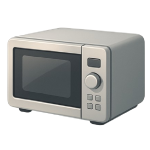
A microwave not heating is one of the most frustrating kitchen appliance failures — the unit appears to run normally, the light comes on, the turntable spins, but your food comes out cold. In 2026, most of these failures trace back to one of four components. This guide ranks them from most to least likely so you can diagnose efficiently, safely, and without unnecessary parts spending.
4 Common Causes for Microwave Not Heating
1Faulty Door Interlock Switch
Most microwaves contain two to three door interlock switches that must all signal “closed” simultaneously before the control board allows the magnetron to energize. When one switch fails — either mechanically or electrically — the microwave interprets the door as open and cuts power to the heating circuit entirely, even though everything else continues to run. Door switches are subject to thousands of open-and-close cycles over the appliance’s life, making them the single most common cause of a microwave that runs but will not heat.
Symptoms
- Microwave fan, turntable, and interior light function normally, but food is not heated after a full cook cycle
- The magnetron’s characteristic low hum is absent — you notice only the fan running, without the deeper hum of normal heating operation
Care Plan
- Unplug the microwave from the wall outlet. Wait at least 60 minutes as an additional precaution, but do not treat waiting as your primary safety measure — proceed to the active discharge step below regardless of elapsed time.
- Discharge the high-voltage capacitor. Remove the outer cabinet per your model’s service manual. Locate the capacitor (a cylindrical component connected to the magnetron and diode). Using a well-insulated discharge tool or resistor leads, connect a 10kΩ (10,000-ohm), 10-watt resistor across the capacitor terminals and hold it in place for at least 30 seconds. Do not use a lower-resistance value — a resistor that is too small will be destroyed violently and will not discharge the capacitor safely.
- Verify 0V before proceeding. Set your multimeter to DC voltage on the 1,000V range (or higher). Probe the capacitor terminals and confirm the reading is 0V. Do not touch any other internal component until you have confirmed zero volts.
- Locate and test the door interlock switches. Door switches are mounted near the door latch assembly, typically behind the control panel. Disconnect each switch’s wiring harness one at a time and use your multimeter set to continuity or resistance mode to test each switch: with the actuator button pressed (simulating a closed door), the switch should show continuity; released, it should show open (OL). A switch that fails either test is defective.
- Replace any failed switch with an exact OEM or verified-compatible replacement for your model number. Reconnect all wiring harnesses, reassemble the cabinet, and run a one-cup water test. If the unit still does not heat after replacing all switches that tested faulty, escalate to Cause 2 — a failed high-voltage diode — or call a licensed appliance technician.
Common Mistakes
- Relying on the 60-minute wait as the sole safety measure before opening the cabinet — always actively discharge the capacitor and verify 0V with a multimeter before touching internal components.
- Replacing only one switch when multiple switches test faulty, or when the switches are visibly burned or arced — replace all defective switches in a single service visit.
2Failed High-Voltage Diode
The high-voltage diode converts the transformer’s AC output into the DC voltage the magnetron requires to generate microwave energy. When the diode fails, it typically either opens (breaks the circuit entirely) or shorts (passes current in both directions), and in either case the magnetron receives the wrong signal and produces no heat. Diode failure is the second most common cause of a no-heat condition in residential microwaves and is an inexpensive repair when diagnosed correctly.
Symptoms
- Microwave runs silently without the normal low hum of a heating cycle — fan and turntable operate normally
- A burning smell or visible dark discoloration near the diode in the high-voltage section of the cabinet
Care Plan
- Unplug the microwave and actively discharge the capacitor. After unplugging and allowing at least 60 minutes as an additional precaution, remove the outer cabinet, locate the capacitor, and connect a 10kΩ (10,000-ohm), 10-watt resistor across its terminals for at least 30 seconds. This is the required primary safety action — time alone is not sufficient.
- Verify 0V at the capacitor terminals. Set your multimeter to DC voltage, 1,000V range or higher. Probe both capacitor terminals and confirm a reading of 0V before proceeding. Do not proceed until you see zero.
- Locate the high-voltage diode. The diode is a small cylindrical component, typically with two wire leads, connected between the capacitor and the chassis ground. It is usually located near or mounted directly to the capacitor.
- Test the diode with your multimeter. Set the multimeter to diode test mode. Place the red probe on one terminal and the black probe on the other — a functional diode will show a voltage drop (typically 0.4–0.7V) in one direction and OL in the other. If both directions show continuity, the diode is shorted; if both directions show OL, it is open. Either result means the diode has failed.
- Replace the diode with a verified-compatible part for your microwave model. Reconnect all wiring, reassemble the cabinet, and run a one-cup water test. If the microwave still does not heat after a confirmed diode replacement, proceed to Cause 3 (magnetron) or call a licensed appliance technician.
Common Mistakes
- Using a standard resistance/ohm mode instead of diode test mode — the diode’s behavior in ohm mode is unreliable and frequently produces misleading readings.
- Purchasing a generic “universal” diode without verifying voltage and current ratings against the original part — a diode rated too low will fail immediately and may damage other components.
3Burned-Out Magnetron
The magnetron is the component that actually generates the microwave energy that heats food. It can fail in several ways: the filament inside can burn out (an open-circuit failure), or the internal structure can short or arc. Magnetron failure is less common than switch or diode failure, but it becomes significantly more likely in microwaves that have been operated empty, have run for many years, or have previously had power surge exposure. This is the most expensive repair in this guide and should only be attempted after ruling out Causes 1, 2, and the internal fuse.
Symptoms
- All other components (fan, turntable, light, control panel) function normally but no heat is produced even after ruling out door switches and the diode
- A burning smell during operation, or the microwave makes a loud buzzing or humming sound but produces no heat
Care Plan
- Unplug the microwave and actively discharge the capacitor. After unplugging (with at least 60 minutes as an additional precaution), remove the outer cabinet, locate the capacitor, and connect a 10kΩ (10,000-ohm), 10-watt resistor across the capacitor terminals for at least 30 seconds. Active discharge is the required primary safety action.
- Verify 0V at the capacitor terminals. Set your multimeter to DC voltage, 1,000V range or higher. Confirm 0V at both capacitor terminals before touching anything else.
- Inspect the magnetron visually. Look for burn marks, cracked ceramics, or arcing damage on or around the magnetron body and its connected waveguide cover. Any visible damage is a strong indicator of magnetron failure.
- Test the magnetron filament with a multimeter. Disconnect the two filament terminals on the magnetron. Set your multimeter to resistance (ohm) mode. Before taking a measurement, short the two meter leads together and note the lead resistance reading — this is your meter’s inherent resistance and must be subtracted from your final measurement. A functional filament should show a very low resistance (typically under 1 ohm). If the meter reads “OL” (Open Loop), the filament is broken and the magnetron must be replaced. Additionally, test from each terminal to the metal chassis; this should read “OL.” If you show continuity to the ground, the magnetron is shorted.
- Replace the magnetron. Source an exact OEM replacement part based on your microwave’s model number ($50–$200). Ensure the mesh gasket is seated perfectly to prevent RF leakage. If you are not equipped to perform an RF leakage test after installation, this repair should be handled by a professional.
Common Mistakes
- Failing to subtract lead resistance. Since magnetron filaments have such low resistance, failing to account for your multimeter’s internal resistance can lead you to misdiagnose a good magnetron as bad.
- Touching the pink ceramic insulators. These can contain beryllium oxide in older models; if cracked, the dust is highly toxic. Handle the magnetron only by its metal housing.
4Defective High-Voltage Capacitor
The high-voltage capacitor works with the diode to double the transformer’s voltage to the levels required by the magnetron (approx. 3,000V–5,000V). If the capacitor shorts out or loses its ability to hold a charge, the circuit fails and the magnetron will not fire.
Symptoms
- The microwave produces a loud, labored humming or buzzing sound immediately when the cook cycle starts.
- The internal fuse blows repeatedly as soon as you try to heat food.
- The unit runs, but the air coming out of the vent remains cold.
Care Plan
- Unplug and Perform Active Discharge. This is critical. Use your 10kΩ, 10-watt resistor to bridge the terminals for 30 seconds. Even a “dead” capacitor can hold a latent charge.
- Verify 0V. Use your multimeter to confirm the capacitor is fully discharged before disconnecting any wires.
- Test Resistance. Set your multimeter to the highest Ohm setting. A healthy capacitor should show resistance that slowly climbs as the meter’s battery “charges” the component. If it shows 0 ohms (shorted) or stays at “OL” immediately (open), it is defective.
- Replace the Capacitor. Source a replacement with the exact Microfarad (µF) and Voltage (V) rating ($20–$60). Reinstall the wires exactly as they were (take a photo before disconnecting).
Common Mistakes
- Using a screwdriver to “pop” the spark. Discharging a capacitor by shorting it with a screwdriver can damage the internal foil and is dangerous. Always use a resistor for a controlled discharge.
- Incorrect wiring. Reversing the wires on the capacitor can lead to immediate failure of the new part or the high-voltage diode.




