
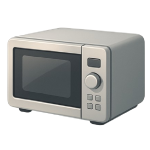
A microwave not spinning is one of the most common appliance complaints in 2026 — and in most cases the fix is a $10 plastic part and fifteen minutes of your time. That said, a small number of causes involve internal components that carry a lethal voltage hazard and must be left to a licensed technician. This guide ranks every cause from most to least likely so you can solve the problem efficiently without unnecessary risk.
4 Common Causes for a Microwave Not Spinning
1Broken or Misaligned Turntable Coupler
The turntable coupler is the small plastic or rubber hub that sits on the motor shaft on the floor of the microwave cavity and drives the glass tray. It takes the full mechanical load of tray rotation and is made of a material soft enough to be replaced easily — which means it also wears out first. Cracks, stripped teeth, and soft rubber degradation are all common after several years of use, and a coupler can also pop off its shaft if the tray is removed and replaced carelessly.
Symptoms
- The glass tray sits flat but does not move at all during a cook cycle, while the microwave heats normally.
- The coupler is visibly cracked, chipped, or deformed when you lift the tray and inspect it directly.
Care Plan
- Unplug the microwave. Remove the glass turntable tray by lifting it straight up and setting it aside.
- Lift the roller guide ring off the cavity floor and set it aside as well.
- Examine the coupler sitting on the motor shaft. Look for cracks, stripped drive tabs, or deformation. Turn it by hand — it should rotate smoothly with slight resistance. If it spins completely freely or wobbles, it has failed.
- Pull the coupler straight up off the motor shaft. Take it to an appliance parts retailer or use the model number (printed on the label inside the door frame) to order a direct replacement online. Replacement couplers typically cost $5–$15.
- Press the new coupler firmly onto the motor shaft until it seats fully — you should feel or hear it click or stop moving. Before reinstalling the glass tray, place a cup of water in the cavity, plug the unit back in, and start a 30-second test cycle. Watch the motor shaft to confirm it is rotating. If the shaft rotates with the new coupler installed, reinstall the roller guide and glass tray and run a second test. If the shaft does not rotate during this test, the motor shaft itself is not turning — skip Cause 2 and proceed to Cause 3. If the coupler spins but the tray still does not turn properly, proceed to Cause 2 to inspect the roller guide.
Common Mistakes
- Reinstalling the glass tray before confirming the coupler is fully seated on the shaft. If the coupler is not properly seated, it will pop off again under load during the next cook cycle.
- Ordering a coupler by appearance alone rather than by model number. Couplers vary in shaft diameter and tab geometry — an incorrect fit will fail within days.
2Worn or Obstructed Roller Guide Ring
The roller guide ring is the plastic ring with three small wheels that sits between the cavity floor and the glass tray, allowing the tray to rotate smoothly. Food debris, grease, and small fragments of broken glass can jam the wheels, and the plastic wheel axles crack or seize after years of heat cycling. A jammed roller guide creates enough friction to stall the motor or cause the tray to rotate in stuttering, incomplete circles.
Symptoms
- The tray rotates inconsistently — it moves a few inches and stops, or wobbles noticeably during rotation.
- The roller guide wheels do not spin freely when you remove the ring and test them by hand, or the ring track is visibly contaminated with food debris.
Care Plan
- Unplug the microwave. Remove the glass tray and lift out the roller guide ring.
- Inspect each wheel on the ring. Spin each one by hand — all three should rotate freely with minimal resistance. Look for cracked axles, flat spots on the wheels, and debris lodged in the track channel.
- Wash the roller guide ring in warm soapy water and clean the cavity floor thoroughly, removing any debris from the circular track groove. Dry completely before reinstalling.
- If any wheel is cracked, seized, or has a flat spot that does not clean away, replace the entire ring. Roller guide rings cost $8–$20 and are model-specific — use your model number to order the correct part.
- Reinstall the cleaned or replacement ring, place the glass tray on top, put a cup of water in the cavity, and run a 30-second test cycle. If the tray still stutters or stalls with a confirmed good coupler and a clean, functional roller guide, proceed to Cause 3.
Common Mistakes
- Cleaning only the glass tray and not the circular track groove on the cavity floor, which is where the majority of debris accumulates and causes drag.
- Reinstalling a cracked roller guide after cleaning it. A cracked axle will re-seize under heat and load within a few cycles, reproducing the original problem.
3Failed Turntable Motor
The turntable motor is a small AC motor mounted beneath the cavity floor, typically accessible after removing the outer cabinet and the bottom plate or a dedicated motor cover. Motors fail from prolonged heat exposure, moisture ingress, or electrical surges. When the motor fails, the shaft stops rotating entirely — the coupler and tray remain stationary even though the microwave heats normally.
Symptoms
- The motor shaft does not rotate during a cook cycle (confirmed during the test in Cause 1, Step 5 with the coupler and tray removed and a cup of water in the cavity).
- A burning smell is detected from beneath the cavity floor — but see the warning above before assuming the motor is the source.
Care Plan
- Confirm via Cause 1, Step 5 that the motor shaft is genuinely not rotating during a cook cycle. If confirmed, unplug the microwave and contact a licensed appliance technician for all steps below. Do not remove the outer cabinet yourself. The following steps describe what the technician will do for your reference.
- The technician will locate the motor access panel or remove the outer cabinet — service diagrams are available from the manufacturer’s support website or from appliance parts retailers such as AppliancePartsPros or RepairClinic by searching your model number, printed on the label inside the door frame. They will safely discharge the capacitor using proper equipment before touching any internal wiring.
- The technician will locate the turntable motor — typically a small cylindrical or rectangular component mounted below the cavity floor — disconnect its wire harness connectors, and check whether the motor terminals receive voltage during a cook cycle. If voltage is present at the motor terminals but the shaft does not turn, the motor has failed. If voltage is absent at the motor terminals, the control board is not sending the signal and Cause 4 is the appropriate diagnosis.
- If the motor has failed, the technician will test its winding resistance with a multimeter for reference. Note that acceptable resistance varies significantly by manufacturer and motor design — consult the service manual or the motor’s own datasheet for the expected value for your specific model, rather than relying on a generic range. A better diagnostic indicator than resistance alone is the voltage-at-terminals test described in step 3.
- The technician will install the correct OEM or compatible replacement motor ($15–$45 depending on brand and model), reconnect the wire harness, reassemble the cabinet, and run a functional test with a cup of water in the cavity.
Common Mistakes
- Skipping the voltage-at-terminals test and replacing the motor based on resistance alone. A motor reading outside a generic expected range may still be functional for its specific design — and if no voltage is reaching the motor, replacing it will not solve the problem.
- Assuming the motor has failed without first confirming the shaft does not rotate during a live cook cycle (with a cup of water in the cavity).
4Control Board Malfunction
The control board is the “brain” of the microwave. It uses relays to send power to different components, including the turntable motor, at specific times during the cooking cycle. If the specific relay or solder joint responsible for the turntable fails, the motor will never receive the electricity it needs to spin, even if the motor itself is brand new.
Symptoms
- The turntable motor (Cause 3) has been tested and confirmed as functional, but it receives 0 volts from the wiring harness during a cook cycle.
- Other digital symptoms are present, such as flickering display segments, buttons that don’t respond, or the microwave failing to stop when the timer hits zero.
Care Plan
- Perform a “Hard Reset”: Unplug the microwave for at least 10 minutes. This allows the capacitors on the control board to discharge and may clear a software glitch. Plug it back in and test.
- Professional Diagnosis Required: If the reset fails, a licensed technician must inspect the control board. This involves opening the cabinet and discharging the high-voltage capacitor (see Safety Guidance).
- Visual Inspection: The technician will look for “cold” solder joints, charred components, or “puffed” capacitors on the board.
- Board Replacement: If the board is faulty, a replacement is ordered by the exact part number. Boards for 2026 models typically range from $40 to $250. Given the labor cost, if the board is over $150, the technician may recommend replacing the entire unit (see Repair vs. Replace).
Common Mistakes
- Replacing the motor first without testing voltage. This is the most common way to waste $50. If the board isn’t sending power, a new motor won’t spin.
- Attempting to “jump” the board. Never try to bypass control board relays to force the motor to spin; this can cause a fire or lead to a high-voltage short.




