
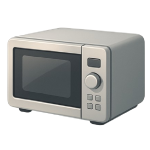
A microwave that won’t turn off is more than an annoyance — it is a genuine safety hazard that can cause overheating, fire, or uncontrolled microwave emission. In 2026, most cases trace back to one of four mechanical or electrical faults. This guide ranks each cause from most to least likely so you can diagnose the problem efficiently and decide whether it is a safe DIY fix or a job for a pro.
4 Common Causes for a Microwave That Won’t Turn Off
1Stuck or Broken Door Latch Assembly
The door latch assembly — made up of plastic hooks on the door and a matching strike plate on the frame — physically triggers the door interlock switches every time the door closes. When a latch hook cracks, warps, or breaks off entirely, the door may appear closed while the switches remain in the “door open” or “door closed” position incorrectly, causing the microwave to run continuously or fail to stop when opened. This is the single most common cause of a microwave that won’t turn off and requires no tools beyond a basic screwdriver to diagnose.
Symptoms
- The microwave continues running after the door is opened
- The door feels loose, does not click shut firmly, or the latch hooks are visibly cracked or missing
- The unit occasionally fails to start on the first door close, then runs fine — indicating an intermittent latch contact issue
Care Plan
- Unplug the microwave immediately if it is running. Do not reach inside or press any buttons while it is energized.
- Inspect the door latch hooks — the plastic prongs on the door edge — for visible cracks, chips, or breaks. Also check the corresponding strike slots on the microwave frame for deformation or debris.
- If the hooks appear intact, open and close the door slowly and listen for a clean, firm double-click. A soft, single, or absent click indicates the hooks are not fully engaging the switches.
- Order a replacement OEM (original equipment manufacturer) latch kit matched to your model number — typically $10–$35 online. Using the model number printed inside the door frame ensures an exact fit.
- To replace the hooks: unplug the unit, remove the interior door liner — the flat plastic panel on the inside face of the door — by unscrewing the fasteners around its perimeter (typically 4–6 Phillips screws). Gently pry the liner away, swap the latch hooks, reassemble, and test. If the unit still runs uncontrolled after replacing the latch, proceed to Cause 2 to test the door switches.
Common Mistakes
- Ordering a latch kit by brand name alone rather than by model number — latch hook geometry varies significantly between models of the same brand, and an ill-fitting hook will not reliably trigger the interlock switches.
- Reassembling the door liner before testing the new latch — close the door and confirm a firm click before reinstalling all screws, so you can adjust the hook position without fully disassembling again.
2Faulty Door Interlock Switch
Microwave ovens use two to three door interlock switches wired in series to cut power the instant the door opens. When one switch fails in the closed (conducting) position, the control board never receives the “door open” signal and the magnetron keeps running. Interlock switch failures are extremely common — they are inexpensive spring-loaded components that cycle thousands of times over the life of the appliance.
Symptoms
- The microwave runs continuously after the door is opened
- Pressing the Stop/Cancel button has no effect while the door is open
- The door latch assembly is intact and clicks firmly — but the unit still does not stop
Care Plan
- Unplug the microwave and allow it to sit for at least 60 seconds before opening the door panel. Do not open the outer casing — the switches are accessible from the inner door frame area on most models without removing the external housing.
- Remove the interior door liner as described in Cause 1, Step 5. The interlock switches are small rectangular plastic components mounted to the inner door frame, each with two terminals and a spring-loaded plunger that the latch hooks depress when the door closes.
- Disconnect the wires from each switch (photograph the wiring first), then use a multimeter set to continuity mode to test each switch individually. Before interpreting results, identify each switch type: most microwaves use both normally-open (NO) primary interlock switches and a normally-closed (NC) monitor or safety switch. An NO switch should read no continuity with its plunger released (door open position) and continuity when the plunger is depressed. An NC switch behaves the opposite — continuity when the plunger is released, open circuit when depressed. A switch that does not match its expected behavior for its type has failed. Consult your model’s wiring diagram (available from the manufacturer’s service portal or appliance parts sites) to identify which type each switch is before drawing conclusions.
- Replace any failed switch with an exact-specification replacement — $5–$15 each from an appliance parts supplier. Match the part number printed on the switch body or cross-reference using your model number.
- Reconnect the wires, reassemble the door liner, plug the unit back in, and test. If the microwave still runs without stopping, the fault is upstream of the switches — proceed to Cause 3.
Common Mistakes
- Assuming any switch that reads continuity with the door open has failed — this is only true for NO switches. Replacing a correctly functioning NC monitor switch because it reads continuity in the open-door state wastes money and leaves the actual fault unresolved.
- Skipping the wiring diagram and guessing which wire goes to which terminal when reconnecting — a miswired interlock switch can blow the monitor fuse or damage the control board on first power-up.
3Failed Control Board
The main control board — sometimes called the printed circuit board (PCB) or logic board — is the brain that interprets button presses, timer signals, and door switch inputs to start and stop the magnetron circuit. When the board fails, it can issue a continuous “run” signal regardless of the door state or timer. Control board failures can result from power surges, moisture ingress, or simply age, and may present as a sudden fault or a gradual deterioration in responsiveness.
Symptoms
- The microwave runs immediately after being plugged in, before any button is pressed
- The display shows garbled characters, is unresponsive, or shows error codes
- Door switch and latch tests (Causes 1 and 2) came back normal — the hardware is intact but the unit still runs uncontrolled
Care Plan
- Unplug the microwave and wait at least 60 seconds. Confirm you have ruled out the door latch (Cause 1) and door switches (Cause 2) before proceeding — a control board replacement is significantly more expensive and labor-intensive.
- With a second person present for safety, remove the outer casing by unscrewing the back and side panels — typically 4–8 screws depending on your model. Set the casing aside carefully. The control board is usually mounted behind the front panel, separate from the magnetron and transformer — it is the green or black circuit board with wiring harnesses and ribbon cable connectors attached.
- Before disconnecting any harnesses, photograph all connector positions and cable routing. Locate the ribbon cable connector (if present) — it uses the small hinged plastic tab on the top edge of the ribbon cable connector socket to lock the cable in place. Flip this tab upward before pulling the ribbon cable out; never pull the cable itself without releasing the tab first.
- Inspect the board surface under good lighting for a damaged circuit pathway (visible as a dark or scorched line on the board surface), swollen or leaking capacitors, or burn marks near any component. A board with visible damage confirms failure; a board that appears intact but is behaviorally faulty is harder to confirm without a test substitute.
- OEM replacement boards cost $50–$200 for most mid-tier brands; aftermarket boards for common brands can be found for $40–$90. Note: Premium brand boards (Wolf, Thermador, higher-end Panasonic Inverter models) can retail at $200–$400 or more — obtain a quote for your specific model number before deciding whether repair is cost-effective. Install the new board by reversing the removal steps, reconnect all harnesses in the photographed positions, and reassemble the casing before powering on. If the unit still runs uncontrolled after a confirmed board swap, the fault is most likely a welded relay — proceed to Cause 4.
Common Mistakes
- Removing the ribbon cable without releasing the locking tab — forcing the cable out without flipping the tab breaks the connector socket and requires replacing the entire board again.
- Attaching “snap or peel” touchpad overlays incorrectly: if your board comes bundled with a new touchpad membrane, attach it using the method specified in the replacement part’s installation instructions — either adhesive backing or mechanical clips depending on your model — rather than guessing which method applies.
4Welded or Stuck Relay
A relay is a small electromagnetic switch on the control board that physically opens and closes to send power to the high-voltage transformer. Because it handles high current, the metal contacts inside can “arc” and eventually weld themselves together in the closed position. When this happens, the microwave will start heating the second it is plugged into the wall, ignoring the door switches and the “Stop” button.
Symptoms
- The microwave starts heating (you hear the loud hum of the magnetron) as soon as you plug it into the wall.
- The fan and turntable may run even when the timer is not set.
- All other tests (Causes 1, 2, and 3) show that the switches and board logic are functional.
Care Plan
- Unplug the microwave immediately. A welded relay is a severe fire hazard.
- Professional Repair Required: Because the relay is soldered directly to the control board and is located near the high-voltage capacitor, this is not a DIY repair. A technician will discharge the capacitor and inspect the relay.
- Component Replacement: A technician may choose to desolder and replace just the faulty relay ($5–$15 for the part) if they have the equipment, but most will recommend replacing the entire control board ($50–$200) to ensure a reliable repair.
- Labor Costs: Expect to pay $150–$300 for professional labor on this repair due to the safety protocols required for high-voltage disassembly.
Common Mistakes
- Tapping the relay to “unstick” it. While a physical jar can sometimes break a welded contact, it is a temporary fix. The contacts are now pitted and charred; they will weld shut again, likely when you aren’t in the kitchen.
- Confusing the fan relay with the heater relay. Most microwaves have multiple relays. Replacing the wrong one will leave the microwave running uncontrolled.




