
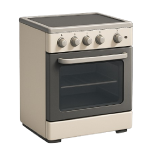
An oven that won’t turn off is more than an inconvenience — it’s a potential fire hazard that demands immediate action. While the fix is sometimes as simple as swapping a $20 sensor, it can also point to a failed thermostat or a control board issue. This 2026 guide ranks the four most common causes from most to least likely so you can diagnose efficiently and fix it right the first time.
4 Common Causes for an Oven That Won’t Turn Off
1Faulty Temperature Sensor
The oven temperature sensor is a probe — typically mounted on the back wall of the oven cavity — that continuously reports the internal temperature to the control board. When the sensor fails, it often sends a falsely low temperature reading, causing the control board to keep the heating element energized in an attempt to reach a set point that, according to the sensor, is never reached. This is the single most common cause of an oven that runs continuously, and it’s the right place to start your diagnosis.
Symptoms
- Oven runs continuously and never cycles off, even after reaching — or significantly exceeding — the set temperature
- Oven temperature is noticeably higher than the setting (food burns, baking times are off significantly)
- An error code appears on the display (common codes include F3 or F4 on many Whirlpool, GE, and Frigidaire models — check your owner’s manual for your specific model’s codes)
Care Plan
- Cut power and allow the oven to cool fully. Flip the dedicated oven breaker to the OFF position and confirm the display is dark. Wait at least 20–30 minutes before reaching inside the oven cavity — the interior metal and heating elements retain heat well after power is removed.
- Locate the temperature sensor. Open the oven door and look for a thin metal probe, roughly 2–4 inches long, mounted to a bracket on the upper-rear wall of the oven interior. It connects to a wire harness that runs through the back wall of the oven.
- Test the sensor with a multimeter. Disconnect the sensor’s wire connector (it typically unplugs from behind the rear oven wall — remove the two mounting screws first and gently pull the sensor forward to access the connector). Set your multimeter to the resistance (Ohms) setting. Touch the probes to the two terminals of the sensor. At room temperature, many sensors read approximately 1,000–1,100 Ohms, but this value is not universal across all manufacturers and models. Check your oven’s service manual or manufacturer spec sheet for the exact expected resistance value for your specific model before condemning the sensor. A reading that is dramatically higher, lower, or open (no reading at all) indicates a failed sensor.
- Replace the sensor if it tests out of spec. Order a replacement using your oven’s full model number (found on the door frame sticker or behind the storage drawer). Most sensors cost $15–$50 for OEM or quality aftermarket parts. Prices vary by brand and supplier — always verify the part number against your model before purchasing.
- Install the new sensor carefully. Before reconnecting the wire harness, confirm the connector is fully clicked or seated and that no bare wiring is exposed or pinched. Secure the mounting screws, then restore power and run a test cycle. If the oven still runs continuously after replacing a confirmed out-of-spec sensor, proceed to Cause 2.
Common Mistakes
- Condemning a healthy sensor based on a generic resistance value. The 1,000–1,100 Ohm figure is a common benchmark, but some manufacturers use sensors with different nominal resistance values. Always verify against your specific model’s service data before replacing the part.
- Restoring power with the connector unseated or wiring pinched. A loose or incorrectly connected sensor can generate a new error code that mimics a different failure entirely, sending your diagnosis in the wrong direction. Take a moment to confirm the connection is solid before flipping the breaker back on.
2Failed Mechanical Thermostat
On older ranges and certain basic models still manufactured today, a mechanical thermostat — rather than a digital sensor and control board — regulates oven temperature by physically opening and closing a circuit. This type of thermostat is described as “bimetallic” because it uses a strip made of two bonded metals that expand and contract at different rates when heated, physically bending to open or close an electrical contact at a target temperature. Over time, these contacts can fuse or weld together in the closed position, creating a permanent electrical connection that keeps the heating element on regardless of the temperature or the knob setting.
Symptoms
- Oven runs continuously and does not cycle off even when the temperature knob is turned to the lowest setting or the “off” position
- This issue occurs on a gas or electric oven with a physical rotary temperature dial (not a digital touchpad control)
- Oven temperature climbs well beyond the set temperature
Care Plan
- Cut power at the breaker and allow the oven to cool fully. For gas ovens, also shut off the gas supply valve. Confirm the oven is completely de-energized before proceeding. Allow at least 20–30 minutes for the interior to cool.
- Access the thermostat. The thermostat is typically located behind the control knob on the control panel. On most freestanding ranges, this means removing the back panel of the control console (the raised section at the rear of the range top). On some models — particularly built-in wall ovens — the thermostat is accessed from behind the front control panel rather than the rear of the appliance. Consult your model’s service manual for the correct access method if you are unsure.
- Handle the rear access panel carefully. Rear panels are stamped sheet metal with edges that can be very sharp, especially on budget appliances. Wear work gloves when removing and setting aside the panel to avoid lacerations.
- Test the thermostat for fused contacts with a multimeter. Locate the thermostat and identify the two terminals in the circuit. Set your multimeter to the continuity setting. With the temperature knob turned fully to the OFF position, test for continuity across the thermostat terminals. There should be NO continuity when the thermostat is in the off position. This test specifically checks for the fused-contact failure mode described above — contacts that are stuck closed when they should be open. A reading of NO continuity in the off position confirms the thermostat is functioning correctly for this particular failure mode. If you measure continuity with the knob at off, the thermostat contacts are fused and the part has failed.
- Replace the thermostat. Replacement thermostats for most common range brands cost $20–$80. Note your oven’s full model number and match the part number exactly — thermostats are calibrated differently across models. Installation is generally a straightforward wire-transfer process: photograph the existing wiring before disconnecting anything, connect the new thermostat to match, and reassemble in reverse order. If the oven still won’t shut off after replacing a confirmed failed thermostat, proceed to Cause 3. Note: Prices vary by region and supplier — obtain multiple quotes before purchasing parts or hiring a technician.
Common Mistakes
- Skipping the wiring photograph. Thermostats on older ranges can have three or more terminals. Without a photo of the original configuration, it’s easy to connect wires incorrectly and create a new fault.
- Purchasing a universal replacement thermostat without verifying calibration. Universal thermostats may physically fit but be calibrated for a different temperature range, causing inaccurate heating after installation. Always use the model-specific part number.
3Stuck Relay on Control Board
On ovens with electronic controls, the heating element is switched on and off by a relay — an electrically operated switch — located on the oven’s main control board, known in appliance repair as the ERC (Electronic Range Control). A relay contains mechanical contacts that can become fused or welded in the closed position due to heat stress, electrical arcing, or age. When this happens, the heating element receives continuous power regardless of what the control board’s processor instructs, and the oven cannot be turned off through normal operation.
The control board may also show visual evidence of this failure: a normal capacitor has a flat or slightly concave top — any outward bulging, cracking, or visible brown or dark residue leaking from the top vent indicates capacitor failure. Similarly, a burnt or discolored area around a relay on the board indicates it has experienced excessive arcing or heat.
Symptoms
- Oven runs continuously on an appliance with a digital touchpad control (not a rotary dial), and the sensor and thermostat have tested healthy
- The control board displays an error code, shows erratic behavior, or the touchpad is partially unresponsive
- Visible burn marks, discoloration, or a faint burnt smell when the rear access panel is removed
Care Plan
- Cut power at the breaker and confirm the oven is de-energized. Check that the display is dark and all indicator lights are off. After cutting the breaker, wait at least 1–2 minutes before touching the control board to allow any residual capacitor charge to dissipate. While oven control board capacitors store far less energy than, for example, a microwave capacitor, this is a sound precautionary step.
- Access the control board. On most freestanding ranges, the control board is behind the rear access panel (typically 4–6 screws). On some models — particularly built-in wall ovens — the board is accessed from behind the front control panel. Wear work gloves when handling sheet metal access panels, as edges can be very sharp. Consult your service manual if the board location is not immediately obvious.
- Visually inspect the board. Look closely at the relays (the larger black or clear boxes on the board). If you see charred plastic, melted solder, or black soot around the pins, the relay has failed. Also, check the capacitors: if the tops are bulging or “domed” instead of flat, the board is failing.
- Test the relay for a “stuck” condition. With the power OFF and the board unplugged, set your multimeter to continuity. Touch the probes to the output terminals of the bake relay (refer to your model’s wiring diagram, usually found in a packet tucked inside the console). If it beeps (shows continuity) while the oven is off, the relay is welded shut.
- Replace the board. Because relays are soldered onto the board, most 2026 manufacturers do not sell them individually; you must replace the entire ERC (Electronic Range Control). Photograph the wiring, transfer the wires one-by-one to the new board, and secure it. Restore power and test.
Common Mistakes
- Tapping the relay to “fix” it. Some DIYers tap the relay with a screwdriver to break the weld. While this might work temporarily, the contacts are now pitted and damaged; they will weld shut again, usually within a few days, creating a repeat fire hazard.
- Mixing up the wires. ERC boards can have 10+ identical-looking spade connectors. Without a clear photo, you risk a dead short that could destroy the new $200 board instantly.
4Full Control Board Failure
While Cause 3 focuses on the mechanical switch (the relay), a full control board failure involves the “brain” or the logic circuit of the oven. In this scenario, the software or the processor has glitched or failed, and it is actively commanding the relays to stay on. Unlike a stuck relay, this is a digital failure rather than a mechanical one.
Symptoms
- The oven display shows nonsensical characters, “ghost” button presses, or is completely frozen.
- The oven stays on, but you can still hear the relay “click” when you cut the power, suggesting the relay is moving but the board is telling it to stay closed.
- Multiple error codes (like F1 or F2) appear and cannot be cleared by a power reset.
Care Plan
- Perform a Hard Reset. Flip the breaker to OFF for at least 10 full minutes. This allows the capacitors to drain and the processor to reset. If the oven still stays on when you restore power, the board’s logic has failed.
- Inspect for Moisture or Grease. Over time, steam from the oven can carry grease into the control console, shorting out the delicate traces on the circuit board. If the board looks “sticky” or dirty, clean it with specialized electronic contact cleaner and let it dry for an hour before testing.
- Order a Replacement ERC. If a reset and cleaning don’t work, the board must be replaced. In 2026, many boards for older ovens are no longer manufactured. You may need to send your board to a specialized repair service (like CircuitBoardMedics or CoreCentric) to have it rebuilt, which typically costs $150–$250.
- Install and Calibrate. Once the new or rebuilt board is installed, you may need to enter a “Model Code” or calibrate the temperature offset. Follow the instructions included with the part.
Common Mistakes
- Ignoring a flickering display. If your oven display has been dimming or flickering for weeks before the oven refused to turn off, that was the warning sign of a failing power supply on the control board.
- Not checking the cooling fan. If your oven is a built-in wall oven, it has a cooling fan to protect the electronics. If that fan fails, the heat will “bake” the control board, leading to this exact failure. Ensure the fan spins freely before installing a new board.




