
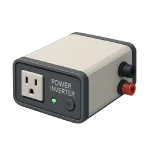
If you are dealing with a Power Inverter Not Working, the problem is usually located at the connection points rather than inside the device itself. Inverters are designed to be extremely defensive—they will shut down at the slightest hint of a voltage irregularity to prevent an electrical fire. This guide ranks the most common causes to help you restore power in 2026.
5 Common Causes for Power Inverter Not Working
1Blown DC Fuse or Tripped Circuit Breaker
Inverters draw very high DC current (often 100–400+ A on larger units), so they require appropriately sized high-amperage fuses/breakers on the DC positive line for safety and protection. A single power surge or an accidental short circuit during installation can blow this fuse or trip the dedicated DC breaker.
Symptoms
- The inverter is “dead” with no lights, no display, and no fan noise.
- You have confirmed the batteries are charged, but no power reaches the inverter terminals.
Care Plan
- Locate the large external fuse holder or breaker between the battery bank and the inverter.
- For breakers, flip the switch to OFF and then firmly back to ON.
- For fuses, visually inspect the element; if it’s broken or the casing is charred, it must be replaced.
- Check any built-in AC output breaker(s) or GFCI outlets on the inverter (common on portable/RV models); some have resettable push-buttons or rocker switches.
- Always replace with the exact same amperage rating and fast-acting type recommended by the manufacturer (commonly ANL, Class T, or MRBF for high-current DC; never use slow-blow or automotive blade fuses).
Common Mistakes
- Replacing a 200A fuse with a 100A fuse “just for now,” which will blow instantly under load.
- Overlooking the internal DC fuses inside some 2026 models that require opening the chassis.
2Low Battery Voltage (Under-Voltage Cutout)
Inverters have a “Low Voltage Disconnect” (LVD). If your batteries are old, exhausted, or the charging system (solar/alternator) has failed, the inverter will refuse to start to prevent permanently “killing” the battery cells.
Symptoms
- The unit beeps intermittently or shows a “Low Batt” or “UV” (Under Voltage) error.
- The inverter may power on (display/fans active) but shuts down or beeps when any significant load is applied due to voltage sag below LVD threshold.
Care Plan
- Measure DC voltage with a multimeter directly at the inverter’s DC input terminals (under no load first, then under load if possible) to detect voltage drop from cables/connections.
- If the voltage is below 10.5V (12V system) or 21V (24V system), your batteries are too low to operate. Typical LVD thresholds in 2026 inverters: 10.0–11.0V for 12V systems (often 10.5V default), 20.0–22.0V for 24V, 40.0–44.0V for 48V (check model manual or display for exact cutout/reconnect voltages). Lithium batteries often have higher cutouts (e.g., 11.2–11.5V for 12V LiFePO4) to protect cells.
- Charge the batteries fully and monitor if they hold the charge; if they drop quickly, they likely need replacement.
- Verify that your battery settings (Lead-Acid vs. Lithium) on the inverter match your actual battery type.
- In 2026 hybrid systems, check if the “Battery Discharge Limit” has been reached in the app.
Common Mistakes
- Trusting a “Green” light on a battery charger; always verify with a multimeter under load.
- Not accounting for “Voltage Drop” from using thin or excessively long DC cables.
3Thermal Shutdown (Overheating)
Inverters generate significant heat during the DC-to-AC conversion process. If the internal cooling fans fail or the air vents are clogged with dust, the unit will enter a “Thermal Shutdown” mode to protect the sensitive MOSFETs from melting.
Symptoms
- The inverter shuts down after 10–20 minutes of use.
- The inverter body/radiator feels excessively hot, fans run at full speed (if working), or displays “OTP”, “Over Temperature”, or similar fault code.
Care Plan
- Ensure the inverter has at least 6–12 inches of clearance on all sides for airflow.
- Use compressed air to blow dust out of the intake grills and fan blades.
- Check if the internal fans spin freely; if they are seized or making a grinding noise, they must be replaced.
- Relocate the inverter to a cooler area if it is installed in a confined space like an unventilated RV cabinet.
- Wait 30–60 minutes for the unit to cool completely before attempting a restart. Many 2026 models auto-reset after cooling below ~50–60°C internal temp; some display ‘Cool Down’ or require a power cycle to clear the OTP fault.
Common Mistakes
- Stacking items (like blankets or boxes) on top of the inverter, which acts as an insulator.
- Installing the inverter in direct sunlight or near an engine heat source.
4AC Output Overload
All inverters specify continuous output power and surge (peak) power (typically 1.5–3× continuous for 5–30 seconds); exceeding either triggers overload shutdown. If you attempt to run too many appliances simultaneously, the inverter will trip its overload protection.
Symptoms
- The inverter beeps and the “Overload” or “Fault” LED turns red.
- Powers low-wattage loads fine but trips/beeps on high-surge or sustained loads (e.g., motors, microwaves, pumps).
Care Plan
- Disconnect all AC loads from the inverter outlets.
- Perform a “Soft Reset” by turning the power button off and back on.
- Reconnect appliances one by one, starting with the highest-wattage device first.
- Check the labels on your appliances; if the total “Watts” exceeds the inverter’s rating, you must reduce the load.
- In 2026 smart inverters, use the companion app to check for “Peak Shaving” or “Load Shedding” settings. For hybrid/grid-tie inverters, check if ‘Zero Export’ or ‘Battery Priority’ settings are limiting AC output under certain conditions.
Common Mistakes
- Forgetting that motors (pumps, vacuums) can require 3x–5x their running wattage just to start up.
- Using a Modified Sine Wave inverter for sensitive electronics that require Pure Sine Wave power.
5Loose or Corroded DC Terminals
The connection between the battery and the inverter handles hundreds of amps. Even a slightly loose nut or a layer of corrosion can create high resistance, causing a massive voltage drop that tricks the inverter into thinking the battery is dead.
Symptoms
- The inverter terminals feel hot to the touch or show signs of “blue” powdery corrosion.
- You hear a “clicking” sound from the inverter when it tries to start.
Care Plan
- Power down the system and disconnect the cables (negative first).
- Disconnect (negative first), clean terminals/lugs with a wire brush and baking soda/water paste to neutralize acid corrosion, then rinse with water and dry thoroughly.
- Reconnect the cables and ensure the nuts are tightened with a wrench (hand-tight is not enough).
- Inspect the cables for nicks, abrasions, or “mushy” insulation, which indicates internal copper rot.
- Apply a thin layer of dielectric grease to the terminals to prevent future oxidation.
Common Mistakes
- Using “Alligator Clips” for anything other than temporary, low-draw testing.
- Over-tightening terminals to the point of stripping the threads on the inverter’s copper studs.




