
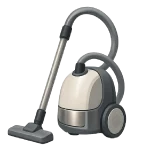
Identify why your vacuum cleaner won’t suction effectively to restore your home’s cleanliness and air quality. While some fixes are as simple as emptying a bin, others require a systematic check of the entire airflow path. This guide ranks solutions from most likely to least likely to help you diagnose the issue efficiently in 2026.
5 Common Causes for Vacuum Suction Loss
1Physical Blockages (Hose/Wand)
A physical obstruction is the most common reason for a sudden drop in suction. Debris like hair clumps, large coins, or small toys can become lodged in the narrowest parts of the airflow path, causing a “bridge” that traps more dust.
Symptoms
- A sudden change in the sound of the motor (often higher-pitched).
- The vacuum picks up nothing, even on a bare floor.
Care Plan
- Detach the hose and wand from the vacuum body.
- Drop a coin or a heavy marble through the hose; if it doesn’t fall through, there is a clog.
- Use a broom handle to gently push the obstruction out of the hose or wand.
- Check the “elbow” where the hose connects to the base; this is a frequent clog point.
- Inspect the floor head intake for stuck debris or tangled hair.
Common Mistakes
- Using a wire hanger to clear clogs. This can easily puncture the flexible plastic of the hose, creating a permanent air leak.
- Assuming the motor is dying. Most “dead” motors are simply struggling to pull air through a blocked tube.
2Clogged or Saturated Filters
Filters are designed to trap fine particles, but they eventually become saturated. When the pores of the filter are completely filled with microscopic dust, air cannot pass through, and suction power drops to near zero.
Symptoms
- Suction has gradually weakened over several months.
- The vacuum emits a dusty or “musty” smell while running.
Care Plan
- Locate the pre-motor filter (usually under the canister) and the post-motor HEPA filter.
- If the filter is “washable,” rinse it under cold water until the water runs clear, then let it air dry for at least 24 hours.
- If the filter is paper or not marked washable, replace it with a new one.
- Inspect the filter housing for dust bypass, which indicates the filter wasn’t seated correctly.
- If your vacuum has a filter or maintenance indicator, do not ignore it.
Common Mistakes
- Putting a damp filter back into the vacuum. This will destroy the motor and lead to mold growth inside the machine.
- Tapping filters against a hard surface to clean them. This can create tiny tears that allow dust to pass into the motor.
3Broken or Slipping Agitator Belt
In upright vacuums, the brush roll (agitator) “beats” the carpet to loosen dirt so the suction can pull it away. If the belt is stretched or snapped, the brush roll won’t spin, leaving the dirt trapped in the carpet fibers.
Symptoms
- The vacuum picks up surface debris but leaves deep dirt behind.
- The “brush roll” indicator light (if equipped) is red.
Care Plan
- Turn the vacuum over and remove the bottom plate to access the belt.
- Check if the belt is broken, or if it feels loose and “glassy” (indicating it’s slipping).
- Cut away any hair or string wrapped around the brush roll, as this adds strain to the belt.
- Replace the belt with an OEM part ($5–$20); ensure it is properly looped around the motor spindle and the brush roll.
- Manually spin the brush roll to ensure the belt is tracking correctly before reassembling.
Common Mistakes
- Ignoring hair buildup on the brush roll ends. Hair creates friction that melts the belt or the plastic end caps.
- Buying generic “multi-fit” belts. These are often the wrong tension and can cause the motor to overheat.
4Damaged Hose or Leaking Seals
Any hole or gap in the suction path between the floor head and the motor acts like a straw with a hole in it—you lose the pressure needed to pull debris. Over time, flexible hoses can develop cracks, and rubber seals can dry out and shrink.
Symptoms
- You hear a whistling or “hissing” sound while the vacuum is on.
- Suction is strong at the base but weak at the end of the wand.
Care Plan
- Run the vacuum and move your hand along the length of the hose to feel for escaping air.
- Inspect the rubber gaskets where the canister or bag door meets the vacuum body.
- Check the hose cuffs (the ends that click in) to ensure the plastic hasn’t cracked.
- Temporary repairs can be made with duct tape, but the hose should be replaced ($20–$60) for long-term performance.
- Ensure the canister is clicked firmly into place; a slight misalignment is a frequent cause of suction loss on bagless models.
Common Mistakes
- Using the hose to pull the vacuum around. This stretches the wire reinforcement and leads to cracks at the connection points.
- Overlooking the gaskets. A dirty gasket can prevent a proper vacuum seal.
5Full Bag or Dust Canister
It sounds obvious, but as a bag or canister fills, the volume of air that can move through the system decreases. Many bagless models lose suction significantly once the “Max Fill” line is passed because the internal cyclone becomes overwhelmed.
Symptoms
- The suction starts strong but drops off after a few minutes of cleaning.
- The vacuum feels unusually heavy or the “full” indicator is active.
Care Plan
- Empty the dust canister or replace the bag once it is 2/3 full.
- For bagless models, check the “shroud” inside the canister—this is the mesh screen that prevents hair from entering the filters.
- If using bags, ensure you are using the correct “Style” (e.g., Type Y, Type U) to ensure the collar seals perfectly against the intake.
- Wipe the interior of the canister to remove static-charged dust that can block the cyclone.
Common Mistakes
- Trying to “reuse” disposable bags. Emptying and taping them shut ruins their filtration properties and restricts airflow.
- Waiting until the canister is packed tight. This forces fine dust deep into the motor, shortening the vacuum’s lifespan.




