
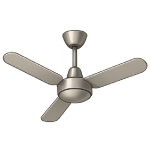
When your ceiling fan is not spinning fast enough to move the air, it often feels more like a heavy decoration than a cooling appliance. Unlike a fan that won’t spin at all, a slow fan is usually struggling with either a loss of electrical “push” or an increase in mechanical “drag.” This guide ranks solutions from most likely to least likely to help you restore your fan’s full velocity.
5 Common Causes for a Slow Ceiling Fan
1Weakened Start/Run Capacitor
The most common reason for a slow fan is a capacitor that has lost its capacitance. Capacitors act like temporary batteries; if they weaken, they can’t provide enough torque to keep the motor at top speed, even if the blades still turn on low and medium settings.
Symptoms
- The fan spins, but there is a noticeable drop in RPM on the “High” setting.
- The fan takes a long time to reach its maximum speed.
- The motor may make a slight humming sound.
Care Plan
- Turn off the breaker and access the switch housing or canopy.
- Locate the capacitor (small black or silver box).
- Check the “uF” rating and purchase an exact replacement.
- Swap the old capacitor for the new one using wire nuts.
- Restore power and check the “High” speed performance.
Common Mistakes
- Increasing the wall switch speed setting without replacing the failing component.
- Buying a universal capacitor with the wrong uF rating, which can lead to motor burnout.
2Dry or Dirty Motor Bearings
The motor bearings allow the blades to spin with minimal friction. Over several years, the factory lubricant can dry out or become gummy with kitchen grease and dust. This creates “drag,” forcing the motor to work harder and spin slower.
Symptoms
- The fan is difficult to turn by hand when the power is off.
- You hear a dry, rubbing, or “sandpaper” sound while it spins.
Care Plan
- Turn off the power and spin the blades manually.
- If they stop quickly, apply 2–3 drops of non-detergent 10-weight machine oil to the motor shaft.
- Work the oil in by spinning the blades by hand for 5 minutes.
- Check if your fan has an oil hole (common in older high-end models) and refill the reservoir.
- If the bearings are permanently damaged, the motor will need replacement.
Common Mistakes
- Using WD-40 or other solvents; these will strip the remaining grease and cause the bearings to seize faster.
3Accumulated Dust and Blade Drag
It sounds simple, but a heavy layer of dust on the leading edge of the fan blades creates significant aerodynamic drag. In homes with high ceilings, this dust can accumulate into a thick “felt” that acts like a brake against the air.
Symptoms
- Visible “dust bunnies” hanging from the blades.
- The fan seems to “labour” or vibrate slightly more than usual.
Care Plan
- Turn off the fan and wait for it to stop.
- Use a damp microfiber cloth or a pillowcase to wipe both the top and the leading edges of every blade.
- Clean the motor air vents to ensure the motor isn’t overheating.
- Check for any “balancing weights” (small lead or plastic clips) that may have slipped or fallen off.
- Test the speed; you may be surprised how much of a difference a clean blade makes.
Common Mistakes
- Cleaning only one blade, which creates a weight imbalance and causes wobbling.
4Failing Remote Receiver or Speed Control
For fans controlled by a remote, the receiver in the canopy handles the speed switching via internal speed-step capacitors. While less common than a total failure, these internal circuits can degrade, “capping” the voltage and preventing the fan from reaching its highest setting.
Symptoms
- The fan works on low and medium but won’t change when “High” is pressed.
- The light works perfectly, but the fan is sluggish across all settings.
Care Plan
- Perform a hard reset by turning off the wall switch for 60 seconds.
- Replace the batteries in the remote to ensure a strong signal is being sent.
- If the speed is still limited, bypass the receiver temporarily (electrician required) to see if the motor spins fast on its own.
- If the motor is fast when bypassed, replace the remote receiver.
- Ensure there is no interference from other smart home devices on the same frequency.
Common Mistakes
- Assuming the motor is weak when the digital “brain” is simply limiting the power output.
5Warped or Damaged Blades
If the blades are warped (common with wood or MDF blades in humid environments) or if the blade irons are bent, they will “slice” through the air inefficiently. This creates uneven resistance that slows the motor down and causes the fan to wobble.
Symptoms
- The fan wobbles significantly at higher speeds.
- One blade looks lower or “tilted” compared to the others.
- The fan is mounted very close to the ceiling and seems weak on high speed.
Care Plan
- Measure the distance from the tip of each blade to the ceiling.
- If one blade is off by more than 1/4 inch, gently bend the metal “iron” back into alignment.
- Check the screws that hold the blades to the motor; if they are loose, the blade will tilt and create drag.
- If the blades are drooping due to moisture, they must be replaced as a set.
- Re-balance the fan using a balancing kit if the speed is still limited by wobbling.
- Check blade clearance to the ceiling; most standard (non-flush) fans need enough top clearance (commonly around 8-10 inches, depending on model) for proper airflow.
Common Mistakes
- Bending the blade irons too aggressively, which can snap the metal.
- Mounting a standard fan too close to the ceiling without using the correct flush-mount hardware.




