
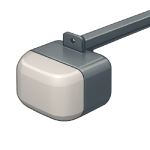
A Garage door opener not responding in 2026 is often a simple communication error rather than a mechanical failure. Whether it’s a software glitch or a dead battery, most signal issues can be fixed in minutes. This guide ranks solutions from most likely to least likely to help you diagnose the issue efficiently.
5 Common Causes for Garage Door Opener Response Failure
1Dead Remote Batteries or Signal Interference
Before checking the motor, check the signal. Remote batteries typically last 1–2 years. Additionally, modern LED bulbs in the opener or nearby can emit radio interference that prevents your remote from “talking” to the motor.
Symptoms
- The wall button works, but the handheld remote and keypad do not.
- The remote only works when you are standing right next to the door.
Care Plan
- Replace the CR2032 or AAA batteries in the remote and keypad.
- If the remote still doesn’t work, unscrew the LED bulbs from the opener motor and try again.
- If the signal returns, replace your bulbs with “Chamberlain” or “LiftMaster” branded garage-safe LEDs.
- Check for nearby signal jammers, such as malfunctioning wireless security cameras or ham radios.
- Re-sync the remote by pressing the “Learn” button on the motor head.
Common Mistakes
- Buying a “universal” remote that isn’t compatible with your opener’s specific frequency.
- Assuming the motor is dead when the remote just needs a $5 battery.
2Misaligned or Blocked Safety Sensors
For safety, all openers since 1993 use photo-eye sensors. If these sensors are bumped out of alignment, or if a cobweb blocks the beam, the motor will refuse to close the door (and sometimes won’t open it depending on the model).
Symptoms
- The door won’t move, and the opener light flashes 10 times.
- The wall button light is blinking.
Care Plan
- Wipe the lenses of both sensors with a clean cloth.
- Ensure both sensors are pointing directly at each other.
- Tighten the wing nuts on the sensor brackets to prevent vibration from moving them.
- Look for blinking lights; a blinking light means the beam is obstructed or misaligned.
- Check for loose wires where the sensor connects to the motor head.
Common Mistakes
- Bypassing sensors with tape, which is a major safety hazard for children and pets.
- Thinking the sensors are broken when they are just dirty or blocked by a blade of grass.
3Vacation Mode or Lock Feature Enabled
Most modern wall consoles have a “Lock” or “Vacation Mode” button. If this is accidentally pressed (often while cleaning the wall), the motor will ignore all remote signals until the lock is deactivated.
Symptoms
- The wall button light is blinking rapidly.
- The remote doesn’t work, but the motor works if you hold the wall button down.
Care Plan
- Go to your wall-mounted control panel.
- Look for a button that says “Lock” or a switch for “Vacation Mode.”
- Press and hold the Lock button for 2–3 seconds until the light stops blinking.
- Test the remote to see if the signal is restored.
- Check your smart home app to see if “Security Mode” was enabled remotely.
Common Mistakes
- Calling a repairman for a “broken board” when the lock feature is just engaged.
- Forgetting that some keypads also have a lock-out feature.
4Disconnected Carriage (Emergency Release)
Your opener is connected to the door via a trolley and carriage. If someone pulled the “emergency release” cord (the red rope), the motor will spin, but the door will stay still.
Symptoms
- You can hear the motor running, but the door doesn’t move.
- The red cord is hanging lower than usual.
Care Plan
- Pull the red emergency cord toward the motor to reset the lever.
- Manually lift the garage door until you hear a “click” as the carriage re-engages with the trolley.
- Once engaged, the door should no longer move freely by hand.
- Press the remote button; the motor should now pull the door.
- If the carriage is broken, you will see a plastic or metal “shark fin” that has snapped.
Common Mistakes
- Running the motor repeatedly while the door is disconnected, which can cause the chain or belt to slip.
- Trying to “force” the carriage back together while the door is in motion.
5Failed Logic Board or Motor Surge
Like any 2026 appliance, the opener has a computer “logic board.” A nearby lightning strike or power surge can “scramble” the board’s memory or fry the circuitry.
Symptoms
- The opener is completely dead with no lights on the motor head.
- The “Learn” light won’t turn on when pressed.
- The motor makes a “clicking” sound but doesn’t move.
Care Plan
- Unplug the opener from the ceiling outlet for 60 seconds to perform a hard reset.
- Check the circuit breaker in your main electrical panel.
- Inspect the board for burnt components or a “fried electronics” smell.
- If the opener is over 15 years old, replacing the logic board usually costs more than a new, quieter DC-powered unit.
- If the board is new, check for a “Reset” or “Reset to Factory” sequence in your manual.
Common Mistakes
- Replacing the board without using a surge protector on the new one.
- Misdiagnosing a bad capacitor as a bad logic board.




